


another-android
zfinix/another · skills.sh
Open source Repository Open in the app JSON README (API)
About
Skill publicada por zfinix/another no skills.sh. Instale com: npx skills add zfinix/another@another-android
Details
- Kind
- Agent skills
- Publisher
- zfinix
- Origin
- skillssh
- Category
- ferramentas
- Stars
- 829
- Forks
- 77
- Last push
- 2026-10-06T02:24:45Z
- Repository state
- ativo
- Language
- TypeScript
- License
- MIT
- Added
- 2026-10-07 06:33:21
- Updated
- 2026-10-07 06:33:21
- Origin id
zfinix/another/another-android
README
<p align="center">
<img src="https://raw.githubusercontent.com/zfinix/another/HEAD/src-tauri/icons/icon.png" width="128" alt="Another app icon" />
</p>
<h1 align="center">Another</h1>
<p align="center">
<a href="https://github.com/Zfinix/another/releases/latest"><img src="https://img.shields.io/github/v/release/Zfinix/another?style=flat-square" alt="Latest Release" /></a>
<a href="https://github.com/Zfinix/another/releases"><img src="https://img.shields.io/github/downloads/Zfinix/another/total?style=flat-square" alt="Downloads" /></a>
<a href="https://github.com/Zfinix/another/blob/main/LICENSE"><img src="https://img.shields.io/github/license/Zfinix/another?style=flat-square" alt="License" /></a>
</p>
A desktop app for mirroring and controlling Android devices. Built with Tauri, React, and Rust.
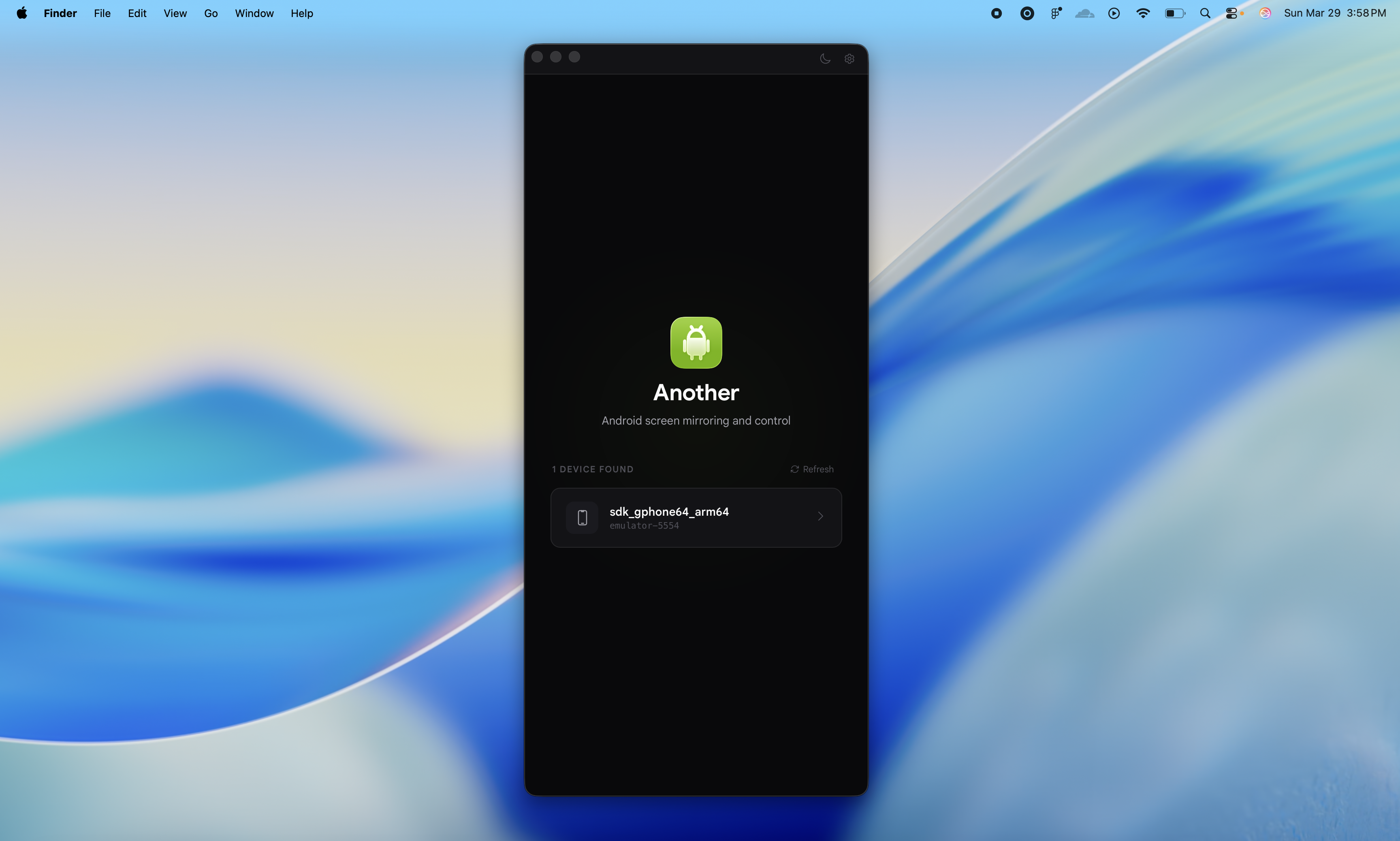
Uses a bundled [scrcpy-server](https://github.com/Genymobile/scrcpy) to stream video from the device and send control inputs back.
## Download
Grab the latest release for your platform:
**[Download Latest Release](https://github.com/Zfinix/another/releases/latest)**
| Platform | Download |
|----------|----------|
| macOS (Apple Silicon) | [.dmg](https://github.com/Zfinix/another/releases/latest) |
| macOS (Intel) | [.dmg](https://github.com/Zfinix/another/releases/latest) |
| Linux | [.deb / .AppImage](https://github.com/Zfinix/another/releases/latest) |
| Windows | [.msi / .exe](https://github.com/Zfinix/another/releases/latest) |
## Features
- Real-time screen mirroring via H.264/H.265 decoding
- Adaptive video bitrate that adjusts in real-time based on screen activity
- Macros -- record, replay, import, export, and rename device interactions
- Device nicknames -- give your devices custom names
- WiFi mirroring -- go wireless with one click
- Device audio forwarding (Android 11+)
- Screen recording (saves as .webm)
- Touch, keyboard, scroll, and navigation input forwarding
- Command bar with keyboard shortcuts for every action
- Configurable video quality (resolution, FPS, bitrate, codec)
- Screenshot capture
- Automatic device detection via ADB
- Light/dark/auto theme
- MCP Server for AI agent control
## MCP Server
AI agents can control your Android device through the MCP (Model Context Protocol) protocol.
The MCP server starts automatically with the app on port 7070. You can toggle it on/off in Settings.
### Configuration
Add to your MCP settings (Claude Code, Claude Desktop, Cursor, etc.):
```json
{
"mcpServers": {
"another": {
"type": "http",
"url": "http://localhost:7070/mcp"
}
}
}
```
**Stdio mode** (for tools that support it):
```json
{
"mcpServers": {
"another": {
"command": "another-mcp",
"args": ["--scrcpy-server", "/path/to/scrcpy-server-v2.7"]
}
}
}
```
### AI Agent Skill
Install the [Another skill](https://clawhub.ai/zfinix/another) to teach your AI agent how to use the MCP tools:
```sh
npx skills add Zfinix/another@another-android
```
### Available Tools
| Tool | Description |
|------|-------------|
| another_list_devices | List connected Android devices |
| another_connect_device | Connect to a device for control |
| another_disconnect_device | Disconnect from current device |
| another_take_screenshot | Capture device screen as PNG |
| another_press_button | Press home/back/recents/power/volume |
| another_send_text | Type text on device |
| another_send_touch | Touch at screen coordinates |
| another_send_scroll | Scroll at screen coordinates |
| another_swipe | Swipe gesture between two points |
| another_shell | Run adb shell command |
| another_open_url | Open URL in Chrome by default (`use_system_handler` for app chooser / Google app) |
| another_launch_app | Launch app by package name |
| another_wifi_enable | Enable WiFi debugging |
| another_wifi_connect | Connect to device by IP |
| another_wifi_disconnect | Disconnect WiFi device |
| another_get_device_ip | Get device WiFi IP address |
| another_macro_record | Start recording a macro |
| another_macro_stop | Stop recording a macro |
| another_macro_play | Play a recorded macro |
| another_macro_list | List all macros |
| another_macro_delete | Delete a macro |
## Keyboard Shortcuts
| Shortcut | Action |
|----------|--------|
| `⌘K` | Command Bar |
| `⌘S` | Screenshot |
| `⌘⇧R` | Record / Stop Recording |
| `⌘+` / `⌘-` | Volume Up / Down |
| `⌘M` | Mute / Unmute Audio |
| `⌘H` | Home |
| `⌘B` | Back |
| `⌘R` | Recent Apps |
| `⌘P` | Power |
| `⌘⇧M` | Record / Stop Macro |
| `⌘D` | Disconnect |
| `⌘T` | Toggle Theme |
| `⌘,` | Settings |
> On Windows/Linux, use `Ctrl` instead of `⌘`.
## Platform Support
| Platform | Status |
|----------|--------|
| macOS | Supported |
| Linux | Experimental |
| Windows | Experimental |
## Prerequisites
- An Android device connected via USB with USB debugging enabled (or WiFi debugging)
- [Rust](https://www.rust-lang.org/tools/install)
- [Node.js](https://nodejs.org/) and [Bun](https://bun.sh/)
## Development
```sh
bun install
bun tauri dev
```
#### For Ubuntu/Debian (including WSL)
You need to install the development packages for WebKitGTK, ALSA, and pkg-config.
```sh
sudo apt update
sudo apt install libwebkit2gtk-4.1-dev pkg-config libasound2-dev
```
## Build
```sh
bun tauri build
```
## Tech Stack
- **Frontend:** React 19, TypeScript, Vite, Base UI
- **Backend:** Rust, Tauri 2, Tokio, rodio
- **Device communication:** ADB + scrcpy-server v2.7