


drawio-diagram-builder
will-hxw/drawio-diagram-builder · skills.sh
Open source Repository Open in the app JSON README (API)
About
Skill publicada por will-hxw/drawio-diagram-builder no skills.sh. Instale com: npx skills add will-hxw/drawio-diagram-builder@drawio-diagram-builder
Details
- Kind
- Agent skills
- Topic
- Media, design & games
- Publisher
- will-hxw
- Origin
- skillssh
- Category
- ferramentas
- Stars
- 412
- Forks
- 12
- Last push
- 2026-07-02T00:21:36Z
- Repository state
- ativo
- Language
- Python
- License
- MIT
- Added
- 2026-10-07 05:27:37
- Updated
- 2026-10-07 05:27:37
- Origin id
will-hxw/drawio-diagram-builder/drawio-diagram-builder
README
# Research Draw.io Diagram Skill A portable agent skill for producing publication-style, editable diagrams.net / draw.io figures from papers, prompts, codebases, project context, screenshots, and one or more visual references. ```bash npx skills add Will-hxw/drawio-diagram-builder-skill ``` > [中文版](https://github.com/will-hxw/drawio-diagram-builder/blob/HEAD/README-cn.md) ## Quick Install With An Agent Copy this prompt into Codex, Claude Code, or another local coding agent: ```text Install and test the drawio-diagram-builder skill from: https://github.com/Will-hxw/drawio-diagram-builder-skill After installing, run its smoke test and tell me the exact skill path. ``` After installation, ask the agent to run the bundled update check against its installed skill path: ```powershell python <installed-skill-dir>\scripts\check_skill_update.py ``` ## Prerequisites | Requirement | Why | |-------------|-----| | **Python 3** (3.7+) | Preview and validation scripts | | **Browser automation** (Playwright MCP, Puppeteer, browser tools, etc.) | Screenshot feedback loop — the skill is evidence-driven | | **Internet access** | Preview loads `https://embed.diagrams.net/` | Without browser automation the agent can still generate `.drawio` XML, but cannot visually verify the result. The iterative refinement loop is the skill's main value. ## Why This Exists LLMs can write draw.io XML, but the first result is usually not right: - text overlaps or escapes boxes - arrows route incorrectly - loop arrows look wrong - icons are missing or inconsistent - reference figures get embedded as images instead of redrawn as editable objects - large diagrams crash on Windows with long-URL failures This skill gives the agent a repeatable workflow: synthesize the user's text and image inputs into a diagram brief → create editable XML → preview through a local URL (not a giant encoded one) → screenshot → self-review visible and semantic defects → fix → repeat → validate. For reference-image replication, the skill now enforces a stricter protocol: the agent must write a visual spec, coordinate layout grid, asset ledger, and defect log before drawing. Final handoff must include a screenshot-reviewed defect log, not just valid XML. For prompt, paper, codebase, or mixed-input diagrams, the skill now also requires a self-supervision protocol: classify each input as content, structure, style, layout, or asset evidence; define connector semantics before drawing arrows; inspect screenshots for requirement mismatches, arrow meaning, text overlap, icon coherence, style drift, and regressions. This is the intended workflow for high-fidelity scientific diagramming: convert the user's inputs into observable requirements and visual constraints, render the editable draw.io result, compare against the brief and references, then fix concrete mismatches. ## Example Output 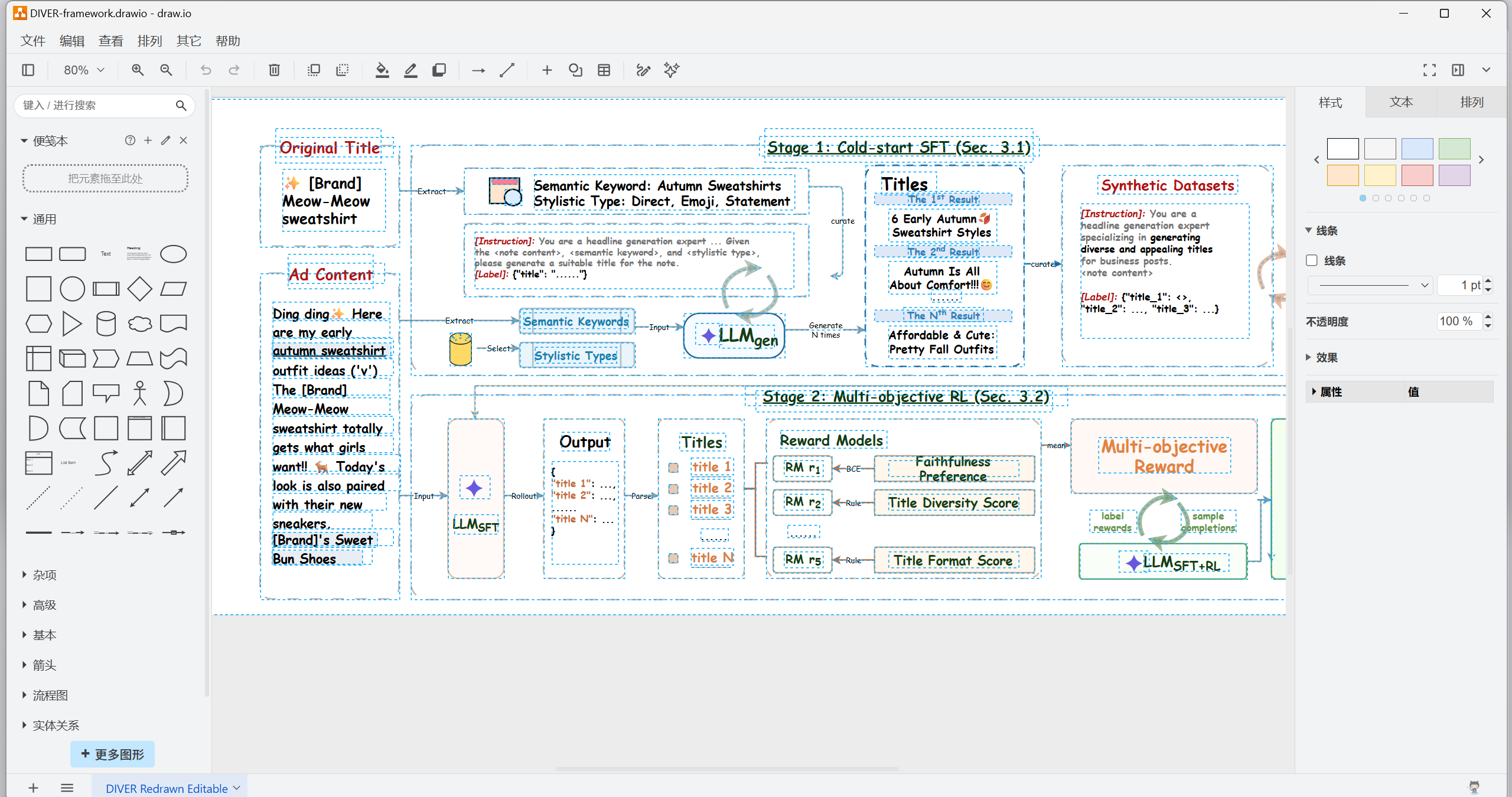 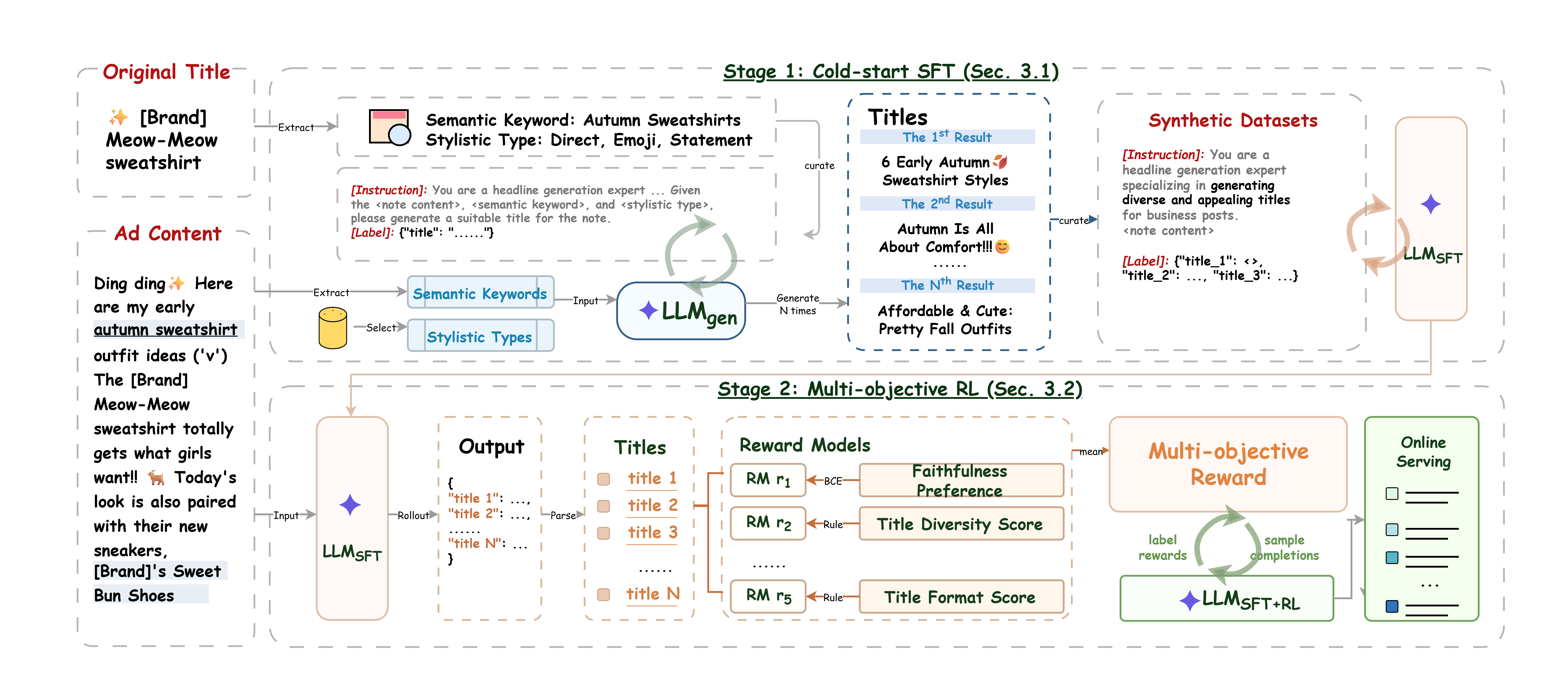 ## What It Does - Recreates paper figures as editable draw.io objects - Draws method overviews from research papers - Converts repositories into architecture/data-flow diagrams - Creates ML pipeline diagrams (stages, models, datasets, training loops) - Combines text requirements with multiple image/style references into one coherent diagram brief - Audits connector semantics such as fan-in, fan-out, feedback loops, grouped routes, and arrowhead direction - Iteratively polishes typography, colors, arrows, icons, spacing - Provides a bundled MIT-licensed Tabler SVG icon inventory for common research-figure symbols ## What It Doesn't - It is not a draw.io replacement or affiliated with diagrams.net / JGraph - It doesn't guarantee one-shot perfection — high-fidelity reproduction takes multiple screenshot-feedback passes - Bundled SVG icons are vector assets, but their internals are not decomposed into draw.io primitive cells; use primitive recipes when full object-level editability matters ## Repository Layout ```text . ├── skills/drawio-diagram-builder/ # Agent skill (discovered by npx skills add) │ ├── SKILL.md # Main workflow │ ├── VERSION # Installed skill version marker │ ├── agents/openai.yaml │ ├── assets/icons/ # Bundled MIT-licensed SVG icon set │ ├── references/ │ │ ├── drawio-workflow.md │ │ ├── primitive-icons.md │ │ ├── reference-replication-protocol.md │ │ ├── self-supervision-and-intake.md │ │ ├── topconf-paper-style.md │ │ └── xml-authoring.md │ ├── assets/ │ │ ├── icons/ │ │ └── reference-images/ │ └── scripts/ │ ├── check_skill_update.py │ ├── make_drawio_preview.py │ ├── serve_drawio_preview.py │ ├── validate_drawio.py │ └── validate_replication_artifacts.py ├── assets/ # README images ├── examples/minimal.drawio ├── tests/smoke_test.py ├── README.md └── LICENSE ``` ## Manual Install (without npx skills) ### Claude Code ```bash git clone https://github.com/Will-hxw/drawio-diagram-builder-skill.git cp -R drawio-diagram-builder-skill/skills/drawio-diagram-builder ~/.claude/skills/ ``` ### Codex **Windows:** ```powershell git clone https://github.com/Will-hxw/drawio-diagram-builder-skill.git New-Item -ItemType Directory -Force "$env:USERPROFILE\.codex\skills" | Out-Null Copy-Item -Recurse -Force .\drawio-diagram-builder-skill\skills\drawio-diagram-builder "$env:USERPROFILE\.codex\skills\" ``` **macOS / Linux:** ```bash git clone https://github.com/Will-hxw/drawio-diagram-builder-skill.git mkdir -p "$HOME/.codex/skills" cp -R drawio-diagram-builder-skill/skills/drawio-diagram-builder "$HOME/.codex/skills/" ``` Restart the agent after copying. To verify the installed copy, ask the agent to report its active skill path and run: ```powershell python <installed-skill-dir>\scripts\check_skill_update.py ``` If the script reports `OUTDATED` or `UNKNOWN`, reinstall from the canonical repository instead of checking for specific files or text snippets. ## Example Prompts ```text Use $drawio-diagram-builder to read this paper section and create an editable draw.io method overview. ``` ```text Use $drawio-diagram-builder to turn my project context, requirements, and these two style references into a publication-style architecture figure. Preview it locally, screenshot it, self-review arrow semantics and text overlap, then iterate. ``` ```text Use $drawio-diagram-builder to reproduce this reference figure as editable draw.io XML. Preview locally, screenshot, compare, and iterate. ``` ```text Use the drawio-diagram-builder skill in this repository to draw a system architecture diagram from the codebase. ``` ## Helper Scripts All scripts are plain Python 3 — no pip packages needed. ## Bundled Icon Assets The skill includes a curated Tabler Icons outline subset under: ```text skills/drawio-diagram-builder/assets/icons/tabler/outline/ ``` Read `skills/drawio-diagram-builder/assets/icons/ICON-MANIFEST.md` for the full inventory and license notes. These icons are useful for generic document, media, storage, model, routing, status, metric, and tool symbols. If exact reproduction needs a branded or paper-specific icon, supply the exact asset or record the approximation in `asset-ledger.md`. ## Bundled Top-Conference Style References The skill includes several computer-science paper figure references under: ```text skills/drawio-diagram-builder/assets/reference-images/ ``` Use them only as style and layout fallback when the user asks for a polished top-conference-style paper figure but does not provide enough visual guidance. The agent should not embed these raster references into the final `.drawio`, and should not invent scientific content to fill the style. ### Check whether an installed skill is current ```powershell python .\skills\drawio-diagram-builder\scripts\check_skill_update.py ``` The script compares the installed `VERSION` file with the latest `VERSION` on GitHub. Use this for update checks; do not check for one specific feature string because the skill will continue to evolve. ### Validate a `.drawio` file ```powershell python .\skills\drawio-diagram-builder\scripts\validate_drawio.py .\examples\minimal.drawio ``` Flags embedded raster images by default. Use `--allow-raster` only when image assets are intentional. The validator also checks duplicate cell ids, missing edge/parent references, missing or invalid geometry, external images, oversized base64 payloads, off-page vertices, empty labels, and placeholder-like text. Use CI-friendly output and warning-as-error mode when needed: ```powershell python .\skills\drawio-diagram-builder\scripts\validate_drawio.py --strict --json .\examples\minimal.drawio ``` ### Validate reference-replication artifacts Before drawing from a reference image: ```powershell python .\skills\drawio-diagram-builder\scripts\validate_replication_artifacts.py .\workdir ``` Before final handoff, after a rendered screenshot was reviewed: ```powershell python .\skills\drawio-diagram-builder\scripts\validate_replication_artifacts.py .\workdir --require-screenshot-review ``` The stricter check fails if `defect-log.md` still contains placeholder screenshot rows. The replication validator also requires a requirement/semantic audit. This is intentional: a diagram can look clean while still reversing an arrow, breaking a fan-in/fan-out relationship, or missing a required relation. For iterative reference replication, keep `defect-log.md` append-only after the first rendered screenshot review. Generate, preview, screenshot, append the review, and then validate; do not run validation while another process is rewriting the same workdir. ### Generate + serve preview in one command ```powershell python .\skills\drawio-diagram-builder\scripts\serve_drawio_preview.py .\examples\minimal.drawio --port 8765 ``` Opens `http://127.0.0.1:8765/drawio-preview.html` in your browser. ### Generate preview HTML only ```powershell python .\skills\drawio-diagram-builder\scripts\make_drawio_preview.py .\examples\minimal.drawio --out .\drawio-preview.html python -m http.server 8765 --bind 127.0.0.1 ``` Then open `http://127.0.0.1:8765/drawio-preview.html?rev=1`. The preview uses an iframe to `https://embed.diagrams.net/` and injects XML via origin-checked `postMessage` — the browser URL stays short, avoiding the Windows long-URL crash. ## Windows Notes - Large `.url` shortcuts with encoded draw.io URLs crash on Windows. Use the preview scripts instead. - The preview's blue Save button downloads a `.drawio` file — it cannot overwrite the local source (browser sandbox). Move it back manually. - Run servers on `127.0.0.1` (not `localhost`) to avoid IPv6 resolution delays. ## Smoke Test ```powershell python .\tests\smoke_test.py ``` Verifies XML parsing, stricter validation failures, preview HTML generation, origin-checked diagrams.net messaging, bundled icons, and bundled reference images. ## License MIT. See [LICENSE](https://github.com/will-hxw/drawio-diagram-builder/blob/HEAD/LICENSE).