


whoop-cli
tomasward1/whoop-cli · skills.sh
Open source Repository Open in the app JSON README (API)
About
Skill publicada por tomasward1/whoop-cli no skills.sh. Instale com: npx skills add tomasward1/whoop-cli@whoop-cli
Details
- Kind
- Agent skills
- Topic
- Developer tools
- Publisher
- tomasward1
- Origin
- skillssh
- Category
- ferramentas
- Stars
- 48
- Forks
- 2
- Open pull requests
- 5
- Last push
- 2026-08-11T18:50:50Z
- Repository state
- ativo
- Language
- TypeScript
- License
- MIT
- Added
- 2026-10-07 06:26:25
- Updated
- 2026-10-07 06:26:25
- Origin id
tomasward1/whoop-cli/whoop-cli
README
# whoop-cli
Your WHOOP data, from the terminal. Built for humans and agents.
> Based on [whoopskill](https://github.com/koala73/whoopskill) by [@koala73](https://github.com/koala73).
## Install
```bash
npm install -g @tomasward/whoop-cli
```
Both `whoop` and `whoop-cli` work as commands. Requires Node.js 22+.
## Setup
```bash
whoop auth login
```
First time? The CLI walks you through it:
```
WHOOP CLI — First-time setup
────────────────────────────
1. Go to https://developer.whoop.com
2. Create an application (apps with <10 users need no review)
3. Set the Redirect URI to: http://localhost:8787/callback
4. Copy your Client ID and Client Secret below
Everything stays local in ~/.whoop-cli/config.json
Client ID: ________
Client Secret: ********
✓ Credentials saved
```
Then it opens your browser for OAuth. Authorize, paste the callback URL, done. Tokens auto-refresh after that — you won't need to log in again.
## Usage
### Quick check
```bash
whoop check # Today's health snapshot (auth + recovery + sleep + strain)
whoop check -d 2026-01-15 # Specific date
whoop summary # One-liner: recovery score, HRV, sleep, strain
whoop summary --color # Color-coded output with status indicators
whoop summary -d 2026-01-15 # Summary for a specific date
whoop insights # AI-style health recommendations (uses last 7 days)
whoop awake # Is user awake? (exit 0 = awake, 1 = likely sleeping)
whoop awake -d 2026-01-15 # Check awake state for a specific date
```
`check` combines an auth verification with today's key metrics in a single call. `summary` is the same snapshot without the auth check. `awake` checks if today's recovery `score_state` is `SCORED` — useful for gating agent heartbeats on sleep completion.
In a terminal, `check` shows a human-readable summary:
```
📅 2026-03-02
🟢 Recovery: 75% | HRV: 106ms | RHR: 37bpm
🟢 Sleep: 76% | 7.5h | Efficiency: 92%
🟡 Strain: 6.9 (optimal: ~14) | 1649 cal
🏋️ Workouts: 1 | Strength Training
```
Piped or in a script, it outputs flat JSON automatically.
### Data commands
```bash
whoop recovery # Today's recovery
whoop sleep # Today's sleep
whoop workout # Today's workouts
whoop cycle # Today's cycle
whoop profile # User profile
whoop body # Body measurements
```
### Date ranges
```bash
whoop workout -d 2026-01-15 # Specific date
whoop workout -s 2026-01-01 -e 2026-03-01 # Date range
whoop workout -s 2026-01-01 -e 2026-03-01 -a # All pages
```
### Trends & insights
```bash
whoop trends # 7-day trends (recovery, sleep, strain averages)
whoop trends --days 30 # Any period (1-90 days)
whoop trends --json # Output as JSON
whoop insights # Health recommendations based on last 7 days
whoop insights -d 2026-01-15 # Recommendations as of a specific date
whoop insights --json # Output as JSON
```
### Multi-type fetch
Fetch any combination of data types in a single call:
```bash
whoop multi --sleep --recovery --body
whoop multi --sleep --workout -s 2026-01-01 -e 2026-03-01 -a
whoop multi --cycle --profile -d 2026-01-15
```
Available data type flags: `--sleep`, `--recovery`, `--workout`, `--cycle`, `--profile`, `--body`. At least one must be specified.
### Auth
```bash
whoop auth login # OAuth flow (opens browser)
whoop auth status # Check auth state
whoop auth refresh # Force token refresh
whoop auth keepalive # Install cron to auto-refresh tokens
whoop auth keepalive --status # Check if keepalive is active
whoop auth keepalive --disable # Remove keepalive cron
whoop auth logout # Clear tokens
```
## Output
**TTY-aware** — the CLI detects how you're using it:
| Context | Output |
|---------|--------|
| Terminal (human) | Pretty text, color-coded |
| Piped / scripted (agent) | Structured JSON to stdout |
Force a specific format:
```bash
whoop recovery --format json # Force JSON
whoop recovery --format pretty # Force pretty
whoop recovery --pretty # Shorthand
```
## Options
| Flag | Description |
|------|-------------|
| `-d, --date <date>` | Date (YYYY-MM-DD) |
| `-s, --start <date>` | Start date for range |
| `-e, --end <date>` | End date for range |
| `-l, --limit <n>` | Results per page (default: 25) |
| `-a, --all` | Fetch all pages |
| `-f, --format <fmt>` | `json`, `pretty`, or `auto` (default: auto) |
| `-p, --pretty` | Shorthand for `--format pretty` |
| `--json` | Shorthand for `--format json` (trends, insights) |
## Exit Codes
| Code | Meaning |
|------|---------|
| 0 | Success / awake (for `whoop awake`) |
| 1 | General error / not awake (for `whoop awake`) |
| 2 | Auth error (not logged in, bad credentials) |
| 3 | Rate limit exceeded |
| 4 | Network error |
## For Agents
### Install as an agent skill
Teach your AI coding agent (Claude Code, Cursor, Copilot, Codex, etc.) how to use WHOOP data:
```bash
npx skills add TomasWard1/whoop-cli
```
This installs the skill globally — your agent will automatically use `whoop` commands when you ask about health metrics, recovery, sleep, or strain.
> Requires the CLI to be installed separately: `npm install -g @tomasward/whoop-cli`
### JSON output
Agents get JSON automatically when output is piped. Recommended starting point:
```bash
whoop check # → {"ok":true,"recovery_score":75,"hrv_rmssd_milli":106,...}
```
### Awake detection (heartbeat gating)
Before running heartbeats or reporting sleep-dependent metrics, check if the user is awake:
```bash
whoop awake # exit 0 = awake (recovery scored), exit 1 = likely sleeping
```
`whoop awake` checks if today's recovery `score_state` is `SCORED`. Whoop calculates recovery after sleep finishes, so an unscored recovery means the user is likely still asleep. Use this to gate heartbeat workflows and avoid reporting invalid metrics.
```bash
# Agent heartbeat pattern
whoop awake && whoop check # Only report if awake
```
### Agent self-install
```bash
npm install -g @tomasward/whoop-cli
```
### Headless setup (servers / CI)
On machines without a browser, pre-write the config and complete OAuth manually:
```bash
# 1. Write credentials (skip interactive prompt)
mkdir -p ~/.whoop-cli && chmod 700 ~/.whoop-cli
cat > ~/.whoop-cli/config.json << 'EOF'
{
"client_id": "<your_client_id>",
"client_secret": "<your_client_secret>",
"redirect_uri": "http://localhost:8787/callback"
}
EOF
chmod 600 ~/.whoop-cli/config.json
# 2. Log in — shows a URL, open it on any machine, paste callback URL back
whoop auth login
```
A human must complete `whoop auth login` once (OAuth requires browser authorization). After that, enable keepalive to ensure tokens stay fresh:
```bash
whoop auth keepalive # Installs cron job (refreshes every 45 min)
```
WHOOP access tokens expire every hour and use [refresh token rotation](https://developer.whoop.com/docs/developing/oauth/) — each refresh invalidates the previous token. Without regular refresh, both tokens expire and require re-login. The keepalive cron prevents this automatically.
### Credential resolution
1. Config file (`~/.whoop-cli/config.json`) — written by interactive setup or manually
2. Environment variables (`WHOOP_CLIENT_ID`, `WHOOP_CLIENT_SECRET`) — override config file
## Storage
```
~/.whoop-cli/
├── config.json # Client credentials (600 perms)
└── tokens.json # OAuth tokens (600 perms, auto-refresh)
```
## Development
```bash
git clone https://github.com/TomasWard1/whoop-cli.git
cd whoop-cli
npm install
npm test # 78 tests
npm run dev # Run with tsx
npm run build # Compile TypeScript
```
## Star History
[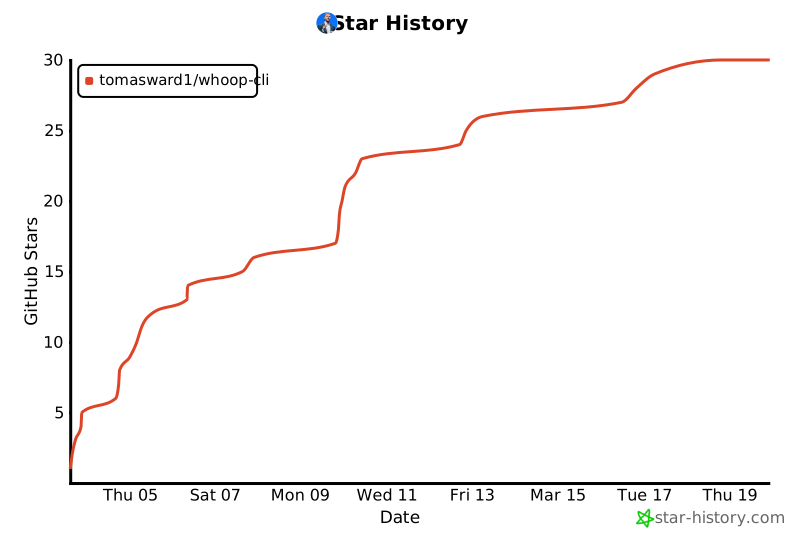](https://star-history.com/#TomasWard1/whoop-cli&Date)
## License
MIT
## Disclaimer
This project is not affiliated with, endorsed by, or sponsored by WHOOP, Inc. WHOOP is a registered trademark of WHOOP, Inc. Use of the WHOOP API is subject to WHOOP's [developer terms](https://developer.whoop.com).