meegle
飞书项目(Meego/Meegle)操作工具。支持查询和管理工作项、节点流转、视图查询、个人待办、排期统计等功能。 Use when user needs to work with Feishu/Lark Meego project management — including
Open source Repository Open in the app JSON README (API)
About
飞书项目(Meego/Meegle)操作工具。支持查询和管理工作项、节点流转、视图查询、个人待办、排期统计等功能。 Use when user needs to work with Feishu/Lark Meego project management — including querying work items, creating/updating work items, completing workflow nodes, checking views, listing todos, analyzing schedules/workloads, or searching with MQL. 关键词:飞书项目、meego、meegle、工作项、需求、任务、缺陷、排期、视图、待办、节点。
Details
- Kind
- Agent skills
- Topic
- Productivity
- Publisher
- larksuite
- Origin
- skillssh
- Category
- ferramentas
- Stars
- 224
- Forks
- 10
- Last push
- 2026-09-08T08:38:56Z
- Repository state
- ativo
- Language
- Go
- License
- MIT
- Added
- 2026-08-30 15:21:15
- Updated
- 2026-09-11 08:04:18
- Origin id
larksuite/meegle-cli/meegle
README
# Meegle CLI
[](https://opensource.org/licenses/MIT)
[](https://nodejs.org/)
[](https://www.npmjs.com/package/@lark-project/meegle)
[English](./README.md) | [简体中文](./README.zh-CN.md)
Command-line tool for [Meegle](https://meegle.com?utm_source=github&utm_medium=readme&utm_campaign=meegle_cli) ([Lark Project](https://project.feishu.cn?utm_source=github&utm_medium=readme&utm_campaign=meegle_cli)). Manage work items, schedules, and data from your terminal — no browser needed.
[Install](#installation) · [Quick Start](#quick-start-human-users) · [Agent Skill](#ai-agent-skill) · [Commands](#commands) · [Enterprise Extensions](#enterprise-cli-extensions) · [Auth](#authentication) · [Config](#configuration) · [Security](#security--risk-warnings) · [Contributing](#contributing)
## Why Meegle CLI?
- **Agent-Native** — The setup wizard installs the bundled AI Agent Skill for Trae, Claude Code, Cursor, Windsurf, Gemini CLI and other agents. Every CLI command is designed for both humans and agents, with structured JSON output, `--dry-run` previews, and `--device-code` flows for non-TTY environments
- **Broad Coverage** — 16 business domains (work items, workflow, subtasks, comments, work hours, relations, my-work, views, charts, team, user, project, attachments, deliverables, resource library, WBS plan tables) and 50+ commands mapping to Meegle's core capabilities
- **Two-Layer Parameters** — Ergonomic `--flag-name` for everyday use, fallback `--params <json>` for complex payloads like `fields[]` — pick the right granularity per call
- **Flexible Output** — `json` / `table` / `ndjson` / `raw`, with `--select` dot-path projection for piping to other tools
- **Secure by Default** — OS keychain credential storage, `${VAR}` env-var templating so secrets never land in config files, multi-profile switching for staging / prod
- **Enterprise-Extensible** — Build a company distribution without forking this repository by importing the public `cmd`, Credential, Transport, and Platform packages at compile time
## Features
| Category | Capabilities |
| -------------------------------------------------- | ---------------------------------------------------------------------------------------------- |
| 📋 [Work Items](#workitem--work-items) | Create, read, update, batch-read, query (MQL), list operation records, inspect metadata |
| 🔀 [Workflow](#workflow--workflow) | Transition nodes & states, update node fields, list available transitions and required fields |
| ✅ [Subtasks](#subtask--subtasks) | Create, update, complete, rollback subtasks |
| 💬 [Comments](#comment--comments) | Add and list comments on work items |
| ⏱️ [Work Hours](#workhour--work-hours) | List work hour records, view team-member schedules |
| 🔗 [Relations](#relation--relations) | List related work items, inspect relation-type definitions |
| 📌 [My Work](#mywork--my-work) | View this week / overdue / completed to-dos |
| 👁️ [Views](#view--views) | Create and update fixed views, search views by name |
| 📊 [Charts](#chart--charts) | List charts under a view, fetch chart details |
| 👥 [Team & User](#team--user--people) | List teams, team members, search users, view current login |
| 🗂️ [Projects](#project--projects) | Search projects by keyword |
| 📎 [Attachments](#attachment--attachments) | Two-stage upload/download protocol — `prepare-*` basic commands plus `+upload` / `+download` end-to-end shortcuts |
| 📦 [Deliverables](#deliverable--deliverables) | List deliverables with their root and source work items |
| 🧩 [Resource Library](#resource--resource-library) | Create resource templates, inspect resource library configuration |
| 🗓️ [WBS Plan Tables](#wbs--wbs-plan-tables) | List draft / published plan rows, create / edit / publish / reset drafts, query draft progress, list element templates |
| 🔐 [Auth & Config](#authentication) | OAuth login, device-code flow, multi-profile config, env-var injection |
| 🔗 [URL Parsing](#url--url-parsing) | Offline decode of Meegle / Feishu Project URLs into `url_kind` + structured fields |
| 🤖 [Agent Skill](#ai-agent-skill) | Pre-built skill for Trae / Claude Code / Cursor / Windsurf / Gemini CLI / Copilot |
## Installation
### Requirements
- Node.js >= 16 (ships with `npm` / `npx`)
Run the setup wizard:
```bash
npx @lark-project/meegle@latest install
```
The wizard installs or upgrades the CLI globally, installs the AI Agent Skill, configures the Meegle host, and starts login.
### Automatic update prompt
The npm-distributed CLI checks npm for a newer version at most once every 24 hours when it starts in an interactive terminal. When an update is available, it reads the released `Added` and `Changed` entries between the installed and latest versions from the [CHANGELOG](https://github.com/larksuite/meegle-cli/blob/main/CHANGELOG.md#changed), then shows an interactive prompt:
```text
✨ Meegle CLI update available: v<current> → v<latest>
What's new:
v<version>
• Added: <feature summary>
❯ Update now (recommended)
Remind me later
Use ↑/↓ to select, then press Enter
```
Pressing Enter first upgrades the CLI with `npm install -g @lark-project/meegle@latest`, then makes a best-effort attempt to upgrade the Meegle Agent Skill through the same installer used by `meegle install`, and finally continues the original command. A missing or incompatible Skill installer, or a Skill download failure, never changes a successful CLI upgrade into a failure. Choosing **Remind me later** defers the next check for 24 hours. This lightweight update does not reconfigure the host or trigger login; use `meegle install` when you want the full setup wizard.
The check is skipped for non-interactive/CI execution, piped stdout, `install`, and shell-completion commands, so structured command output remains unchanged. Set `MEEGLE_NO_UPDATE_CHECK=1` to disable it explicitly.
## Quick Start (Human Users)
> **Note for AI assistants:** if you are an AI Agent helping the user set this up, jump directly to [Quick Start (AI Agent)](#quick-start-ai-agent--ci--headless) — it contains the non-interactive command you need.
```bash
# 1. Install CLI + Skill, configure host, and log in
npx @lark-project/meegle@latest install
# 2. View this week's to-dos
meegle mywork todo --action this_week --page-num 1
# 3. View help
meegle --help
meegle workitem --help
# 4. Inspect command parameters
meegle inspect workitem.create
```
## Quick Start (AI Agent / CI / Headless)
The default browser OAuth flow requires a real TTY. In CI runners, pipes, and agent shells like Claude Code, run the same setup wizard with an explicit host and Device Code login:
```bash
npx -y @lark-project/meegle@latest install --host <host> --device-code --lang en
```
Examples of `<host>`: `project.feishu.cn`, `meegle.com`, or your self-hosted tenant domain such as `your-tenant.example.com`. The Device Code flow prints an authorization URL; send it to the user and keep the command running until authorization completes.
Verify:
```bash
meegle auth status
```
For fully unattended CI (no human-in-the-loop), inject a token via environment variables instead — see [Sandbox / CI](#sandbox--ci-direct-environment-variable-injection).
## AI Agent Skill
The setup wizard installs `skills/meegle/`, a drop-in skill for Trae, Claude Code, Cursor, Windsurf, Gemini CLI, GitHub Copilot CLI, and other agents. It teaches agents how to operate Meegle through this CLI instead of guessing command shapes from prose.
### What it covers
- **Command reference** — every `meegle` resource / method with required parameters and examples
- **MQL search** — syntax for `workitem query`, operators, scope keywords
- **Field values** — how to shape complex field payloads (arrays, nested JSON, date ranges)
- **Rich text** — Markdown subset supported by Meegle's rich-text editor
- **SOPs** — step-by-step playbooks for creating work items, transitioning nodes, transitioning states, and updating fields
- **Auth guard** — the skill refuses to run business commands until `meegle auth status` succeeds
### Usage
Once the setup wizard has run, ask the agent in natural language. For example:
```
Show me this week's P0 stories in the PROJ space.
```
The agent consults the skill, picks the right `meegle` commands, and runs them for you. Pair with `--dry-run` (see [Security](#security--risk-warnings)) to preview side-effectful operations before the agent commits them.
## Commands
### workitem — Work Items
| Command | Description |
|---------|-------------|
| `workitem create` | Create a work item |
| `workitem get` | View work item details |
| `workitem +batch-get` | Batch-read work items by IDs (client-side fan-out over `workitem get`; `+` marks scenario/sugar commands) |
| `workitem update` | Update work item fields |
| `workitem query` | Search work items using MQL |
| `workitem list-op-records` | View operation records |
| `workitem meta-types` | List work item types |
| `workitem meta-create-fields` | List fields available at creation |
| `workitem meta-fields` | List field configurations |
| `workitem meta-roles` | List role configurations |
### workflow — Workflow
| Command | Description |
|---------|-------------|
| `workflow transition` | Transition or rollback a node |
| `workflow transition-state` | Transition a state-flow state |
| `workflow get-node` | View node details |
| `workflow update-node` | Update a node |
| `workflow meta-node-fields` | List node field configurations |
| `workflow list-state-transitions` | List available state transitions |
| `workflow list-state-required` | List required fields for transitions |
### subtask — Subtasks
| Command | Description |
|---------|-------------|
| `subtask update` | Create / update / complete / rollback subtasks |
### comment — Comments
| Command | Description |
|---------|-------------|
| `comment add` | Add a comment |
| `comment list` | List comments |
### workhour — Work Hours
| Command | Description |
|---------|-------------|
| `workhour list-records` | List work hour records |
| `workhour list-schedule` | View team member schedules |
### relation — Relations
| Command | Description |
|---------|-------------|
| `relation list` | List related work items |
| `relation meta-definitions` | List relation type definitions |
### mywork — My Work
| Command | Description |
|---------|-------------|
| `mywork todo` | View my to-dos / completed items |
### view — Views
| Command | Description |
|---------|-------------|
| `view create-fixed` | Create a fixed view |
| `view get` | View details of a view |
| `view update-fixed` | Update a fixed view |
| `view search` | Search views by name |
| `view list-multi-project-workitems` | List work items under a multi-project (panoramic) view |
### chart — Charts
| Command | Description |
|---------|-------------|
| `chart get` | View chart details |
| `chart list` | List charts under a view |
### team / user — People
| Command | Description |
|---------|-------------|
| `team list` | List teams in a project |
| `team list-members` | List team members |
| `user me` | View current logged-in user information |
| `user search` | Search user information |
### project — Projects
| Command | Description |
|---------|-------------|
| `project search` | Search projects |
### attachment — Attachments
| Command | Description |
|---------|-------------|
| `attachment prepare-upload` | Upload preprocess — returns the signed object-storage URL and multipart plan |
| `attachment prepare-download` | Download preprocess — returns the signed object-storage URL and multipart plan |
| `attachment +upload` | End-to-end upload: preprocess + signed HTTP POST(s); returns the resulting `file_token` and file metadata |
| `attachment +download` | End-to-end download: preprocess + signed HTTP GET(s) + atomic write — for `file_url`s embedded in `workitem get` / `comment list` responses |
### deliverable — Deliverables
| Command | Description |
|---------|-------------|
| `deliverable list` | List deliverables with their root and source work items |
### resource — Resource Library
| Command | Description |
|---------|-------------|
| `resource create` | Create a resource template (resource instance) under a resource-library-enabled work item type |
| `resource meta-fields` | List resource library configuration (resource fields and roles) |
### wbs — WBS Plan Tables
| Command | Description |
|---------|-------------|
| `wbs list-draft-rows` | List rows in a WBS draft, filtered by query and projected to selected fields |
| `wbs list-instance-rows` | List rows in a published WBS instance, filtered by query and projected to selected fields |
| `wbs create-draft` | Create a new WBS draft for a work item instance |
| `wbs edit-draft` | Apply one atomic operation to a single draft row (add / delete / restore / sort / rename / owner / schedule); operation type via `--params` |
| `wbs publish-draft` | Publish a WBS draft online |
| `wbs reset-draft` | Reset a draft to match the published instance, discarding unpublished changes |
| `wbs get-draft-progress` | Get the execution progress of a WBS draft operation (create / edit / publish) |
| `wbs list-element-templates` | List element templates (resource nodes and tasks) from the flow resource library |
### ai-handoff — AI Assistant Handoff
These commands are registered locally in the CLI and are not MCP tools. `availability` is an optional preflight before preparing `query` or related context; an expected business rejection is a successful probe and includes stable `reject_code` and display-only `reject_msg` fields. Dependency and transport failures use the standard CLI error model.
`availability` reads the Handoff section of the generic `GET /goapi/v5/meeglecli/config` discovery response, including its `mode` (`off`, `ask`, or `auto`). The complete successful config snapshot is cached locally per profile for up to 1 hour; dependency or transport errors are never cached. The config cache is invalidated immediately on a successful `preference handoff auto|ask|off`, on `auth login`, and whenever `create-link` is rejected server-side. `create-link` never reads the cache: it always re-validates server-side and creates the link directly.
The create-link HTTP response always includes `available`: success returns HTTP 200 with `available=true` and `url`; the CLI then replaces only that URL's host (including the configured port) with the active login host, preserving its scheme, path, query, and fragment. This keeps links in the currently selected Meegle or Lark Project environment. An expected business rejection returns HTTP 200 with `available=false`, `reject_code`, and `reject_msg`, and clears the local config cache. Unexpected failures use the standard API error response.
Set `MEEGLE_AI_HANDOFF=disabled` to hard-disable Handoff in the local installation. Both `availability` and a valid `create-link` invocation then return `available=false` with `reject_code=LOCAL_DISABLED` and a display-only `reject_msg`; they do not require authentication, read the CLI configuration cache, or call the Handoff API. Unset values and values other than `disabled` preserve the normal server-controlled behavior. This local gate can only disable the feature—it cannot override the server business switch, entitlement, or personal preference to enable it.
| Command | Description |
|---------|-------------|
| `ai-handoff availability` | Check the business switch, rollout, AI entitlement, personal preference, and link-service readiness |
| `ai-handoff create-link` | Create an AI assistant link from required `--query` and optional, repeatable typed `--related-context` JSON objects |
```bash
meegle ai-handoff availability --format json
MEEGLE_AI_HANDOFF=disabled meegle ai-handoff availability --format json
meegle ai-handoff create-link --params '{
"query": "Summarize the risks and propose next actions",
"related_context": [{
"type": 3,
"work_item": {
"project_key": "PROJ",
"work_item_type_key": "story",
"work_item_id": "123"
}
}]
}' --format json
meegle ai-handoff create-link --help
meegle inspect ai-handoff create-link
```
Each `related_context` item must set `type` and exactly one matching payload. The facade contract uses business identifiers and never exposes the AI service's generic `key`; facade fills that field only while converting to the internal `query + entities` contract:
| Type | Payload | Required fields | Optional fields |
|------|---------|-----------------|-----------------|
| `1` Project | `project` | `project_key` | — |
| `3` WorkItem | `work_item` | `project_key`, `work_item_type_key`, `work_item_id` | — |
| `4` View | `view` | `project_key`, `view_id` | `work_item_type_key` |
| `5` MeasureChart | `measure_chart` | `project_key`, `chart_id` | — |
Context type `2` is reserved by the IDL for the currently unsupported WorkItemType context and must not be used.
Each attempt is bounded by a per-attempt timeout, and transient transport failures (timeout, HTTP 5xx/429, network errors) are retried up to 3 times with exponential backoff and jitter. `create-link` sends a stable idempotency key that is reused across those retries, so a retried request never creates a second link. Policy, validation, and 4xx errors fail fast without retrying. Facade invalid-parameter envelopes are reported as `HANDOFF_API_INVALID_PARAM` with `retryable=false`, including payloads that exceed the negotiated query or context limits. Internal Facade biz error IDs, causes, and chains are not exposed; the CLI returns a concise message plus a suggestion to inspect the current limits with `ai-handoff availability`.
### preference — Personal Preferences
Handoff suggestion mode is stored in the server-side unified user preference service. It has no project or tenant argument and defaults to `auto` when no override exists. The generic write request carries a `preferences` list with `type=handoff_suggestions`; its payload is `{"mode":"off|ask|auto"}`. A successful mode update invalidates the local `ai-handoff availability` cache.
| Command | Description |
|---------|-------------|
| `preference handoff auto` | Automatically show AI handoff recommendations |
| `preference handoff ask` | Ask before showing an AI handoff recommendation |
| `preference handoff off` | Disable AI handoff recommendations |
Use `meegle preference handoff --help` for mode behavior and `meegle inspect preference handoff auto` (or `ask` / `off`) for the command-level parameter view.
`reset` is intentionally not exposed until the preference service provides an atomic unset operation.
### auth — Authentication
| Command | Description |
|---------|-------------|
| `auth login` | Log in (browser or `--device-code`) |
| `auth logout` | Log out |
| `auth status` | View login status (validates the token against the server) |
### config — Configuration
| Command | Description |
|---------|-------------|
| `config init` | Initialize configuration |
| `config show` | Show current configuration |
| `config set` | Set a configuration value |
| `config get` | Get a configuration value |
| `config profile create\|list\|use\|current\|delete` | Manage configuration profiles |
### url — URL Parsing
Offline, no-network utility for parsing Meegle / Feishu Project URLs into structured fields. Skills and pipelines branch on the returned `url_kind` instead of guessing from raw paths.
| Command | Description |
|---------|-------------|
| `url decode --url <URL>` | Decode a URL into `url_kind` + `simple_name` / `work_item_type` / `work_item_id` / `view_id` / `chart_id` / `query` / `redirected_from` etc. Unrecognised URLs return `url_kind: "unknown"`. |
### Other Commands
| Command | Description |
|---------|-------------|
| `version` | Print the CLI version (`meegle --version` is an alias) |
| `inspect [command]` | Inspect command parameters |
| `completion bash\|zsh\|fish` | Generate shell completion script |
| `completion install` | Auto-install shell completion |
## Common Examples
### To-dos
```bash
# This week's to-dos
meegle mywork todo --action this_week --page-num 1
# Completed items
meegle mywork todo --action done --page-num 1
# Overdue items
meegle mywork todo --action overdue --page-num 1
```
If `mywork todo` fails with `get action info fail`, refresh command metadata first:
`meegle --refresh mywork todo --action this_week --page-num 1`. If your account
belongs to multiple workspaces, pass the workspace key explicitly:
`meegle mywork todo --action this_week --page-num 1 --asset-key Asset_xxx`.
### Querying Work Items
```bash
# View work item details
meegle workitem get --work-item-id 12345
# View workflow node details
meegle workflow get-node --work-item-id 12345 --need-sub-task
```
### Batch Reading Work Items
`workitem +batch-get` fans out to `workitem get` for each ID and aggregates the
results into one response. Shared flags (e.g. `--project-key`) apply to every
per-item call. The `+` prefix marks it as a scenario/sugar command — the CLI
composes multiple `get` calls client-side instead of mapping to a single
backend endpoint.
```bash
# Comma-separated IDs in one invocation
meegle workitem +batch-get --project-key PROJ --work-item-ids "12345,12346,12347"
# Read IDs from a file (one per line; lines starting with '#' are comments)
meegle workitem +batch-get --project-key PROJ --ids-file ./ids.txt
# Stream one JSON row per item; summary row is emitted last
meegle workitem +batch-get --project-key PROJ --work-item-ids "12345,12346" -o ndjson
```
Response envelope (JSON):
```json
{
"summary": { "total": 3, "succeeded": 2, "failed": 1 },
"results": [
{ "work_item_id": 12345, "data": { /* ... */ } },
{ "work_item_id": 12346, "data": { /* ... */ } },
{ "work_item_id": 12347, "error": { "code": "...", "message": "..." } }
]
}
```
Constraints: up to 200 IDs per invocation, 3 concurrent workers (fixed).
Partial failures do **not** abort the batch — check `summary.failed` or the
per-item `error` field. A 401 from the server aborts the whole run.
### Creating Work Items
```bash
# Pass fields[] via --params (JSON)
meegle workitem create --project-key PROJ --work-item-type story \
--params '{"fields":[
{"field_key":"name","field_value":"Optimize login flow"},
{"field_key":"priority","field_value":"P1"}
]}'
# Complex field values (arrays, nested JSON) also go through --params
meegle workitem create --project-key PROJ --work-item-type story \
--params '{"fields":[
{"field_key":"name","field_value":"Scheduled task"},
{"field_key":"schedule","field_value":[1722182400000,1722355199999]}
]}'
```
### Updating Fields
```bash
# Update work item name
meegle workitem update --work-item-id 12345 \
--params '{"fields":[{"field_key":"name","field_value":"New title"}]}'
# Update multiple fields at once
meegle workitem update --work-item-id 12345 \
--params '{"fields":[
{"field_key":"name","field_value":"New title"},
{"field_key":"priority","field_value":"P0"}
]}'
```
### Attachments
The `attachment` domain exposes Lark project's two-stage attachment protocol
in two layers:
- **Basic commands** (`attachment prepare-upload`, `attachment prepare-download`)
return the raw signed-URL preprocess payload — handy for scripting your own
HTTP transfer or inspecting the multipart plan.
- **Shortcuts** (`attachment +upload`, `attachment +download`) chain the basic
preprocess with the signed HTTP POST/GET to object storage end-to-end. The
`+` prefix marks them as scenario commands — the CLI orchestrates the
preprocess output plus the out-of-band byte transfer client-side.
`--resource-type` tells the backend what the file will be attached to:
| `--resource-type` | Target |
|-------------------|--------|
| `15` | Workitem attachment field |
| `16` | Image embedded in a workitem rich-text field |
| `13` | Attachment on a comment |
| `14` | Image embedded in a comment |
**Scoping the preprocess**: every upload needs either `--work-item-id` or
`--work-item-type`. **Always prefer `--work-item-id`** when the target workitem
exists (update / comment scenarios); only use `--work-item-type` for the
create-with-attachment path where the workitem hasn't been created yet. If
both are supplied, `--work-item-id` wins and `--work-item-type` is ignored.
```bash
# Upload a file for a workitem attachment field (resource-type 15)
meegle attachment +upload ./a.pdf \
--resource-type 15 \
--project-key PROJ --work-item-id 12345 --field-key files_field
# Create-with-attachment path — workitem doesn't exist yet, pass --work-item-type
meegle attachment +upload ./a.pdf \
--resource-type 15 \
--project-key PROJ --work-item-type story --field-key files_field
# Upload an image for a rich-text field (resource-type 16)
meegle attachment +upload ./diagram.png \
--resource-type 16 \
--project-key PROJ --work-item-id 12345 --field-key spec_field
# Upload a comment attachment (resource-type 13)
meegle attachment +upload ./report.pdf \
--resource-type 13 \
--project-key PROJ --work-item-id 12345
# Upload a comment image (resource-type 14)
meegle attachment +upload ./screen.png \
--resource-type 14 \
--project-key PROJ --work-item-id 12345
# Download: pass the opaque file_url from another command's response.
URL=$(meegle workitem get --project-key PROJ --work-item-id 12345 \
--fields files_field --format json \
| jq -r '.fields.files_field[0].url')
meegle attachment +download "$URL" \
--project-key PROJ --work-item-id 12345 \
--output ./local.pdf --overwrite
```
**Integrity check (`+download`)**: `+download` performs an extra integrity check
on each downloaded file and aborts — writing nothing — if the file fails
validation or cannot be verified. On a failed check you get a
`CLIENT_FILE_SIGN_MISMATCH` error (unverifiable response →
`CLIENT_FILE_SIGN_UNVERIFIED`); both are transient, so just retry.
**Custom headers / env routing**: any custom headers configured for the active
profile are applied to the download GET as well as the preprocess call, so an
environment-routing header pins the whole download to the same environment. Auth
headers are stripped before the GET so the token never reaches the
object-storage host.
`+upload` returns a JSON object with the file token and metadata:
```json
{
"file_token": "...",
"file_url": "https://...",
"name": "a.pdf",
"size": 12345,
"mime_type": "application/pdf"
}
```
To wire the result into a downstream command, parse the response with `jq`
or your scripting language of choice:
```bash
# Comment attachment — comment add takes file_token directly
TOKEN=$(meegle attachment +upload ./report.pdf --resource-type 13 \
--project-key PROJ --work-item-id 12345 | jq -r '.file_token')
meegle comment add --work-item-id 12345 --content "See attached" --file-token "$TOKEN"
```
**Field-level attachment formats** (how to assemble `--fields` payloads):
- **Workitem attachment field** (`--resource-type 15`) — `field_value` is a
JSON *string* whose parsed form is `[{"name","type","size","fileToken"}]`.
Note: `fileToken` is camelCase (other backend fields are snake_case) and
`size` is a string, not a number.
- **Rich-text field / comment image** (`--resource-type 16` / `14`) — embed
images as ` <!-- file_token -->`.
- **Comment attachment** (`--resource-type 13`) — `comment add --file-token`
takes `file_token` directly.
### MQL Search
```bash
# Query P0 stories in a project
meegle workitem query --project-key PROJ \
--mql "SELECT \`name\`, \`priority\` FROM \`ProjectName\`.\`Story\` WHERE \`priority\` = 'P0'"
```
### Viewing Schedules
```bash
# View team member schedules
meegle workhour list-schedule --project-key PROJ \
--start-time 2026-03-01 --end-time 2026-03-31 \
--user-keys "Alice,Bob,Charlie"
```
### Searching Users
```bash
meegle user search --user-keys "Alice,Bob" --project-key PROJ
```
## Parameter Passing
### Basic Flags
Each command takes parameters via `--flag-name`:
```bash
meegle workitem get --work-item-id 12345 --project-key PROJ
```
If one invocation omits multiple required flags or positional arguments, the
CLI reports every missing input in a single `CLIENT_MISSING_REQUIRED` error,
in the same order as the command definition. A single missing input keeps the
original singular message.
```text
$ meegle workflow list-state-transitions --project-key demo --work-item-id 1 --dry-run
missing required parameters: --user-key, --work-item-type
```
### --set key=value (Generic)
`--set` is an alternate syntax for writing **top-level** parameters — `--set key=value` is equivalent to typing `--key value`. Useful when scripting with a uniform `key=value` form, or for writing nested top-level params via dot-path. Values are auto-typed (int / float / bool / string).
```bash
# These two are equivalent:
meegle mywork todo --action this_week --page-num 1
meegle mywork todo --set action=this_week --set page_num=1
# Dot-path builds nested maps (rarely used in Meegle, but supported):
--set extra.flag=true # becomes {"extra":{"flag":true}}
```
`--set` only writes **top-level** parameters. To write a work item's `fields[]`, use `--params '{"fields":[...]}'` (see below).
### --params JSON
`--params` takes a JSON object; **each top-level key is merged in as a CLI flag**.
Use either the MCP's `snake_case` parameter name or the CLI flag's `kebab-case`
name. The key must be a valid parameter of the current command — it is not a
free-form payload.
```bash
# These two are equivalent:
meegle workitem get --work-item-id 12345 --project-key PROJ
meegle workitem get --params '{"work_item_id":12345,"project_key":"PROJ"}'
```
Use `--params` when:
- the value is a nested object or array (`fields[]`, `schedule{}`) — too awkward to inline as a flag
- you want to set many parameters at once, or feed a payload from a file (see `@file.json` below)
Required top-level parameters can also be supplied through `--params`; they are equivalent to passing the corresponding flags directly.
```bash
meegle workitem create --project-key PROJ --work-item-type story \
--params '{"fields":[{"field_key":"name","field_value":"Title"}]}'
```
#### Common pitfall: not every name is a top-level flag
Some values that *look* like top-level fields are actually work-item field
values, and must be wrapped in `fields[]` rather than placed at the top
level. For example, on `workitem update` the `priority` value belongs to
the work item's fields, not to the command's flags:
```bash
# ❌ "priority" is not a flag of workitem update — CLI prints a stderr warning, backend ignores it
meegle workitem update --work-item-id 12345 --params '{"priority":"P1"}'
# ✓ Wrap field values inside fields[]
meegle workitem update --work-item-id 12345 \
--params '{"fields":[{"field_key":"priority","field_value":"P1"}]}'
```
The CLI surfaces unknown top-level keys as a `validation.unknown_params`
list under `--dry-run`, and as a one-line stderr warning at run time. They
are still forwarded to the backend (in case your local tool-schema cache
is stale — refresh with `--refresh`).
Run `meegle workitem meta-fields --project-key PK --work-item-type TK`
to look up valid `field_key`s for a work item type.
#### Reading from a file (`@file.json`)
Inline JSON is unergonomic on Windows because CMD requires `\"` escaping
and PowerShell mangles backslashes when forwarding native-command arguments.
Prefix the value with `@` to load the JSON from a file instead — works
identically on macOS, Linux, and Windows shells:
```bash
# body.json:
# {"fields":[{"field_key":"name","field_value":"Optimize login flow"}]}
meegle workitem create --project-key PROJ --work-item-type story \
--params @body.json
# Absolute path also works
meegle workitem update --work-item-id 12345 --params @/tmp/patch.json
# PowerShell — same syntax, no escaping headaches
meegle workitem create --project-key PROJ --work-item-type story --params '@body.json'
```
The path is read with the OS's default encoding; both relative and absolute
paths are accepted. A missing file fails with `PARAM_INVALID`; a file whose
contents are not valid JSON fails with `INVALID_PARAMS_JSON`.
### Priority
When `--set`, `--params`, and regular flags are used together:
1. Regular CLI flags beat `--params` / `--set` for the same top-level key
2. `--set` overrides the same top-level key from `--params`
### Array Parameters
Separate multiple values with commas:
```bash
--user-keys "Alice,Bob,Charlie"
--field-keys "name,status,priority"
```
### Boolean Parameters
Add the flag to set `true`; omit it for `false`:
```bash
meegle workflow get-node --work-item-id 12345 --need-sub-task
```
## Global Flags
| Flag | Short | Description |
|------|-------|-------------|
| `--format` | `-o` | Output format: `json` (default), `table`, `ndjson`, `raw` |
| `--select` | | Field projection with dot paths |
| `--set` | | Set nested parameters (repeatable) |
| `--params` | `-P` | Full JSON parameter body; prefix with `@` to read from a file (e.g. `--params @body.json`) |
| `--dry-run` | | Render request without executing |
| `--envelope` | | Wrap success output as `{data, meta, error}` — `meta.logid` carries the backend trace id when present |
| `--verbose` | `-v` | Verbose output |
| `--profile` | | Use a specific configuration profile |
| `--refresh` | | Refresh cached commands from server (bypass the local 24 h cache) |
| `--auto-paginate` | | Automatically fetch and merge all pages when the response contains pagination signals (`next_page_token` or `pagination.has_more`); merged list arrays are concatenated, and a 200-page safety cap plus a 3-empty-page streak guard prevent runaway loops |
| `--version` | | Print the CLI version and exit (alias of `meegle version`) |
`--version` is treated as the version alias only when it is a standalone flag. If a preceding string flag is waiting for a value, the literal `--version` remains that flag's value.
## Advanced Usage
### Output Formats
```bash
# JSON (default)
meegle workitem get --work-item-id 12345
# NDJSON (suitable for piping)
meegle mywork todo --action this_week --page-num 1 -o ndjson
# Table
meegle mywork todo --action this_week --page-num 1 -o table
```
### Field Projection with `--select`
`--select` projects fields using `.` notation. A segment after an array
broadcasts the remaining path over every record of the array and
collects the results while preserving the enclosing structure.
| Expression | Response | Projection |
|---|---|---|
| `list` | `{"list":[{"a":1}], "total":1}` | `{"list":[{"a":1}]}` |
| `list.a` | `{"list":[{"a":1,"b":2},{"a":3,"b":4}]}` | `{"list":[{"a":1},{"a":3}]}` |
| `list.a,list.b` | same as above | `{"list":[{"a":1,"b":2},{"a":3,"b":4}]}` (merged per index) |
| `list.work_item_info.work_item_name` | `{"list":[{"work_item_info":{"work_item_name":"x"}}]}` | `{"list":[{"work_item_info":{"work_item_name":"x"}}]}` |
| `nodes.0` | `{"nodes":[{"id":"a"},{"id":"b"}]}` | `{"nodes":{"0":{"id":"a"}}}` (numeric = index) |
```bash
# Top-level selection
meegle workitem get --work-item-id 12345 --select "id,name,status"
# Broadcast across arrays — extract fields from nested records
meegle mywork todo --action done --page-num 1 \
--select "list.work_item_info.work_item_name,list.state_info.end_state_key_name"
# Mix top-level metadata with broadcast — total is retained alongside projected list items
meegle mywork todo --action done --page-num 1 \
--select "total,list.work_item_info.work_item_name"
```
### Metadata preservation
The default render preserves the full response shape across every
`--format`: list endpoints return `{"list":[...], "total":N,
"pagination":{...}}` verbatim — you see `total` / `pagination` even
when you do not project them. Drill into records explicitly via
`--select` (and the broadcast syntax above). Under `--format table`
and `--format ndjson`, a single-key wrapper like `{"list":[...]}`
(no sibling metadata) is still peeled into rows — the peel is
loss-less.
### Tracing with `--envelope`
When something looks wrong (silent success, unexpected payload) and you
want to ask oncall to trace the exact call, add `--envelope`:
```bash
meegle workflow update-node --work-item-id 12345 \
--set node_schedule.points=10 --envelope
```
The success output is wrapped as `{data, meta, error}`, and `meta.logid`
carries the backend trace id (when the server returns one). Hand that id
to oncall to look up the request in argos. Without `--envelope` the id is
suppressed so the default output stays clean for piping.
AI handoff Config, Preference, and Create Link responses also copy the gateway
`x-tt-logid` response header to `meta.logid`. Successful calls expose it only
with `--envelope`; failures include it in their structured error envelope
automatically. No debug logging is required.
### Dry Run
For commands with side effects, preview the rendered request with `--dry-run` before executing:
```bash
meegle workitem create --project-key PROJ --work-item-type story \
--params '{"fields":[{"field_key":"name","field_value":"Test"}]}' --dry-run
```
### Command Introspection
Use `inspect` to view full parameter information for any command:
```bash
# List all commands
meegle inspect
# View parameters for a specific command
meegle inspect workitem.create
```
### Programmatic Command Strings
Applications that embed the Go command-string SDK can represent line breaks
with `\n`. For example, a value such as
`--content "Line 1\n\nLine 2"` reaches the command as two paragraphs. Use
`\\n` when the value must contain the literal characters `\n`; unsupported
escape sequences retain their backslash.
This decoding only applies to programmatic command-string entry points such as
`CommandClient.Execute` and `ExecuteCommandString`. The `meegle` binary receives
an argument array from the shell, so normal shell quoting rules apply there.
The command-string Go SDK used by Facade for remote RPC execution registers only
MCP-discovered commands. Local CLI API commands such as `ai-handoff` and
`preference handoff` are available only in the npm-distributed `meegle` CLI;
direct `CallTool` also continues to address MCP tools only.
## Authentication
### Browser Login (Default)
```bash
meegle auth login
```
Automatically opens the browser for OAuth authorization. If the browser doesn't open, the terminal displays the authorization URL for manual copying.
### Device Code Login (No Browser)
```bash
meegle auth login --device-code
```
The terminal displays a QR code and authorization code. Scan with your phone to authorize. Ideal for SSH remote servers and other headless environments.
### Other Auth Commands
```bash
# Check login status (issues a lightweight tools/list call to validate the
# token against the server — safe to use as a cron preflight)
meegle auth status
# Log out
meegle auth logout
```
`auth status` exit codes and `reason` field let scripts (cron jobs, CI
preflights) react correctly without having to parse human text:
| Exit | `reason` | Meaning | Recommended action |
|------|----------|---------|--------------------|
| 0 | — | Token is present locally and accepted by the server | Proceed |
| 1 | `no local token` | No token stored | Run `meegle auth login` |
| 1 | `token rejected by server` | Token expired or revoked; refresh exhausted | Run `meegle auth login` |
| 2 | `server unreachable: <err>` | Network, timeout, or 5xx — the call itself failed | Retry later; do not re-login |
JSON output example (`auth status --format json`) on a rejected token:
```json
{"authenticated": false, "host": "meegle.com", "reason": "token rejected by server"}
```
For credentials managed by `meegle auth login`, token refresh is serialized
across CLI processes that share a profile. Invalid refresh responses are
rejected without overwriting the previous credentials, and a late 401 from an
older process cannot clear a token that another process has already refreshed.
## Configuration
### Config File
Configuration is stored in `~/.meegle/config.json`:
```bash
# Initialize config
meegle config init
# View current config
meegle config show
# Set a config value
meegle config set host project.feishu.cn
# Get a config value
meegle config get host
```
Main config options:
| Field | Description | Examples |
|-------|-------------|----------|
| `host` | Site domain | `project.feishu.cn`, `meegle.com` |
| `user_access_token` | User access token; use `${VAR}` to read from an environment variable | `${CI_MEEGLE_TOKEN}` |
| `access_token_header` | Custom HTTP header name that carries the token; empty falls back to default `Authorization: Bearer <token>` | `x-meegle-auth` |
| `user_agent` | Caller suffix appended to the default `User-Agent` (form: `meegle-cli/<ver> <user_agent>`); supports `${VAR}` template; overridden by the `MEEGLE_USER_AGENT` env var | `my-service/1.0` |
### Sandbox / CI: Direct Environment-Variable Injection
The following well-known environment variables are read directly by the CLI without requiring any `config set`:
```bash
export MEEGLE_HOST=project.feishu.cn
export MEEGLE_USER_ACCESS_TOKEN=<your-user-token>
export MEEGLE_USER_AGENT=ci-runner # optional; appended to User-Agent, highest priority over config.user_agent
export MEEGLE_AI_HANDOFF=disabled # optional; locally hard-disable AI Handoff
meegle workitem get --work-item-id 123
```
These variables may be set independently. When `MEEGLE_USER_ACCESS_TOKEN` is set, the CLI bypasses the keychain and does not attempt to refresh on 401 — the caller is responsible for rotating the env value. Setting only `MEEGLE_HOST` (without a token) still uses the keychain-stored credentials. `MEEGLE_AI_HANDOFF=disabled` is a disable-only local gate and does not alter profile configuration.
### Custom Auth Header
By default the token is sent via the standard `Authorization: Bearer <token>` header. If the backend requires a different header (and rejects requests that carry `Authorization`), opt in with `access_token_header`:
```bash
meegle config set access_token_header x-meegle-auth
```
Or override at runtime via env var:
```bash
export MEEGLE_ACCESS_TOKEN_HEADER=x-meegle-auth
```
When enabled the CLI sends `<header>: <token>` with the raw token (no `Bearer ` prefix) and **omits `Authorization` entirely** — suitable for backends that reject requests carrying both headers.
### Environment Variable Templates
If your runtime exposes a variable with a name other than `MEEGLE_*`, bind it through `config.json` using a `${VAR}` placeholder. The placeholder is resolved against the process environment at runtime. This keeps secrets out of `config.json` while adapting to whatever variable name your runtime (Docker, Kubernetes, CI system) already injects.
```json
{
"current": "prod",
"profiles": {
"prod": { "host": "project.feishu.cn", "user_access_token": "${PROD_CI_TOKEN}" },
"staging": { "host": "staging.feishu.cn", "user_access_token": "${STAGING_CI_TOKEN}" }
}
}
```
Rules:
- Only whole-string placeholders are recognized. `"${X}"` is expanded; `"Bearer ${X}"` is treated as a literal.
- When a referenced variable is unset or empty, commands that require credentials fail fast and report the field path and variable name. Recovery entry points such as `--help`, `version`, `auth login --help`, and `config set` remain available so the profile can be repaired.
- When `user_access_token` is configured, it takes precedence over any token stored locally by `meegle auth login`. Because this mode has no refresh path, rotate the environment value yourself when the server returns 401.
### Multi-Environment Profiles
Manage multiple environment configurations (different sites, different accounts). Each profile stores its own host and auth credentials independently.
```bash
# Create a new profile (interactive host selection + login)
meegle config profile create staging
# List all profiles
meegle config profile list
# Switch default profile
meegle config profile use staging
# View current profile
meegle config profile current
# Temporarily use another profile (without changing default)
meegle mywork todo --action this_week --page-num 1 --profile staging
# Delete a profile
meegle config profile delete staging
```
## Enterprise CLI Extensions
Companies can depend on this Go module, register trusted in-process adapters, and build their own `meegle` binary without modifying the official repository. V1 supports three extension seams:
- `extension/credential` selects an account and supplies an existing Meegle user token. Known local/recovery commands bootstrap without invoking Credential providers, so a slow OIDC provider cannot block help, version, configuration repair, completion, URL parsing, or extension diagnostics; commands that need identity still resolve the provider and fail closed on any provider error.
- `extension/transport` observes or blocks CLI HTTP requests while retaining redirect and TLS-downgrade protections. Provider and hook callbacks have a 30-second safety timeout, but the real MCP, OAuth, and attachment request keeps the caller's Context and original HTTP client timeout, so enabling an extension does not shorten large uploads, downloads, or slow server operations. Its trusted in-process pre-hook sees the credential-injected live request and can technically change authentication headers; the CLI does not provide in-process isolation or freeze header values. Its post-hook receives an isolated metadata snapshot with `http.NoBody` and a cloned TLS state, so a stalled hook cannot consume, retain, or mutate the live response stream. Credential-bearing MCP requests—default Bearer or custom token header—retain a 10-redirect limit and are never redirected away from their exact original origin.
- `extension/platform` observes, wraps, or restricts both static commands and MCP-discovered dynamic commands. Plugin metadata/Install and each Startup hook have a two-second safety boundary; a timed-out fail-open plugin is skipped, while fail-closed stops the CLI, and late registration is ignored. Restrict plugins must be fail-closed; a hand-written plugin that declares `Restricts=true` with `FailurePolicy=FailOpen` fails startup instead of being silently skipped.
Use `cmd.ExecuteWithVersion(version)` for an enterprise binary whose plugins declare `RequireCLI`; `cmd.Execute()` remains the compatible default entry point. A `dev` build deliberately cannot satisfy a version constraint and its compatibility error points to `ExecuteWithVersion`; this fail-closed check is not bypassed. Extensions are linked at build time—there is no runtime plugin download—and the SDK does not load CLI extension registries. See [all extension examples](./examples/README.md) and the [architecture contract](./docs/design/CLI-EXTENSION-ARCHITECTURE.md).
An extension-enabled binary exposes non-secret diagnostics under `meegle extension doctor|credentials|transport|plugins|policy|discovery`. Credential and transport diagnostics distinguish `not-evaluated`, `active`, and `failed` instead of re-running providers during an offline diagnostic command. Restrict rules also govern these commands, so a readonly allow-list should include `extension/**` when operators need troubleshooting access.
Policy denials honor explicit structured output modes and use the stable `CLIENT_COMMAND_DENIED` error code. Credential and Platform failures that happen before CLI App construction also honor explicit JSON/NDJSON output and expose `CLIENT_CREDENTIAL_RESOLUTION_FAILED` or `CLIENT_EXTENSION_INSTALL_FAILED` instead of plain text.
Errors and panic values returned by extension callbacks stay behind a guarded Go error-chain boundary: custom `Is`, `As`, `Unwrap`, `Error`, or payload methods cannot crash the CLI, and panic details cannot enter public output. Extension code should still return ordinary, context-aware errors because it runs as trusted code in the CLI process.
Every JSON-RPC response is bounded before decoding: `tools/list` uses an 8 MiB discovery limit and all other calls use a 32 MiB per-response limit.
Dynamic discovery accepts nullable JSON Schema types such as `"type": ["string", "null"]` and exposes them as the underlying CLI/SDK parameter type. Unions containing multiple non-null types are isolated with the stable `unsupported_schema_union` diagnostic instead of silently removing unrelated tools.
## FAQ
### Empty Command List
The CLI fetches available commands from the server at startup. If the network is unreachable or you're not logged in, dynamic commands won't be registered. Make sure you're logged in first:
```bash
meegle auth login
```
The command list is cached automatically and refreshed silently in the background when expired.
When server-side command discovery fails with no usable cache, local commands such as `auth`, `config`, `inspect`, `completion`, and `url` still start normally; dynamic business commands report a `TOOL_DISCOVERY_FAILED` server error until connectivity recovers.
## Security & Risk Warnings
This tool is designed to be called by AI Agents to automate Meegle operations, which carries inherent risks — model hallucinations, unpredictable execution, and prompt injection. Once you authorize Meegle permissions, the Agent will act under your user identity within the granted scope, and may perform high-impact actions (field updates, status transitions, work item creation) on your behalf. Use with care.
Recommended safeguards:
- Preview side-effectful commands with `--dry-run` before running them
- Use a dedicated profile (`meegle config profile create`) for Agent-driven sessions so you can audit and revoke independently
- For CI / shared environments, prefer short-lived env-var token injection (`MEEGLE_USER_ACCESS_TOKEN`) and rotate on 401 — do not relax default security settings
By using this tool you are deemed to voluntarily assume all related responsibilities.
## Star History
[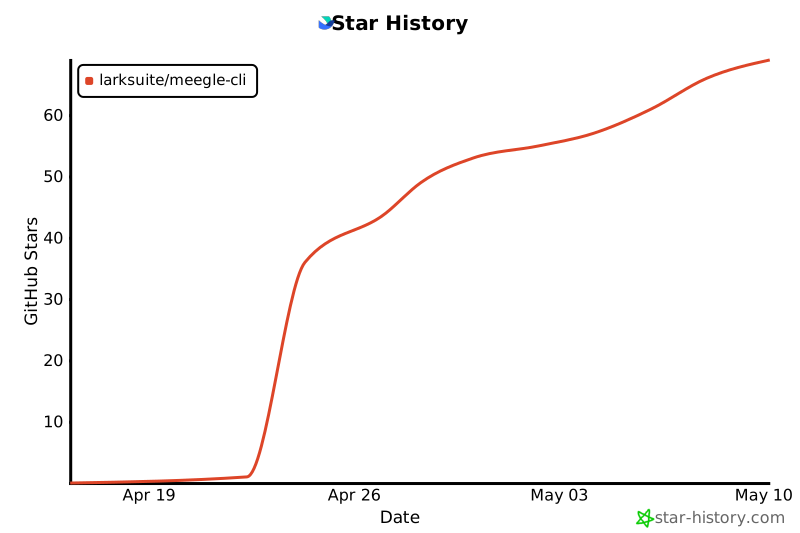](https://star-history.com/#larksuite/meegle-cli&Date)
## Contributing
Community contributions are welcome. For bugs and feature requests, open an [Issue](https://github.com/larksuite/meegle-cli/issues) or [Pull Request](https://github.com/larksuite/meegle-cli/pulls). For major changes, please start a discussion via an Issue first.
## License
This project is licensed under the **MIT License**.
When running, it calls Lark/Feishu Open Platform APIs. To use these APIs, you must comply with the following agreements and privacy policies:
- [Feishu User Terms of Service](https://www.feishu.cn/terms)
- [Feishu Privacy Policy](https://www.feishu.cn/privacy)
- [Feishu Open Platform App Service Provider Security Management Specifications](https://open.feishu.cn/document/uAjLw4CM/uMzNwEjLzcDMx4yM3ATM/management-practice/app-service-provider-security-management-specifications)
- [Lark User Terms of Service](https://www.larksuite.com/user-terms-of-service)
- [Lark Privacy Policy](https://www.larksuite.com/privacy-policy)