Catalog›Plugins›Files & documents›csv-quality-gateCQcsv-quality-gateCSV preflight validation and batch CSV quality checks that fail fast before pipeline runs. Open site Open in the app JSON README (API)CSV preflight validation and batch CSV quality checks that fail fast before pipeline runs.READMELoading documentation…<div align="center"> <h1>csv-quality-gate</h1> csv-quality-gate is a command-line data quality gate that runs CSV preflight validation, failing fast before a pipeline ingests broken, incomplete, duplicated, or junk input. csv-quality-gate is developed by [Hermes Labs](https://hermes-labs.ai). Hermes Labs is an agentic infrastructure company building the reliability layer for autonomous systems. [](https://github.com/hermes-labs-ai/csv-quality-gate/actions/workflows/ci.yml) [](https://pypi.org/project/csv-quality-gate/) [](https://pypi.org/project/csv-quality-gate/) [](LICENSE) </div> It runs batch quality checks on a CSV and returns `pass`, `warn`, or `fail` (with matching exit codes) before expensive pipeline steps burn time on bad input. It checks for missing required columns, empty files, empty critical cells, duplicate rows, and — under the `outreach` profile — suspicious company-name patterns. Teams can declare their own columns, thresholds, and patterns in a small TOML/JSON config, every issue points at the affected line numbers (never cell values), and the same gate runs as a pre-commit hook or a GitHub Action. It is stdlib-only: no third-party runtime dependencies. The problems it is built for: - "We keep running expensive pipeline steps on broken CSVs." - "A batch run fails 20 minutes in because the input CSV was junk." - "We only discover missing required columns after the job already started." - "Duplicate rows and empty contact fields keep polluting our batch runs." - "The gate says 12% duplicates, but which rows?" - "Our CSVs have `email` and `order_id`, not `company`." - "I want CSV preflight validation, not a whole data platform." ## Quickstart (60 seconds) ```bash pip install csv-quality-gate python -c "from importlib.metadata import version; print(version('csv-quality-gate'))" # confirm the installed release csv-quality-gate check leads.csv --profile outreach ``` Example output for a CSV with a missing column and a borderline duplicate rate: ```text csv-quality-gate: FAIL file: leads.csv profile: outreach rows: 125 ERROR: missing required column: person_name WARNING: duplicate rate 12% exceeds warning threshold 10% evidence: column=company affected=15 rows at line(s) 4, 9, 15, 22, 31 (+10 more) ``` The process exits `0` on pass, `1` on warnings only, and `2` on fail, so you can wire it directly into a shell script, a pre-commit hook, or a CI step. 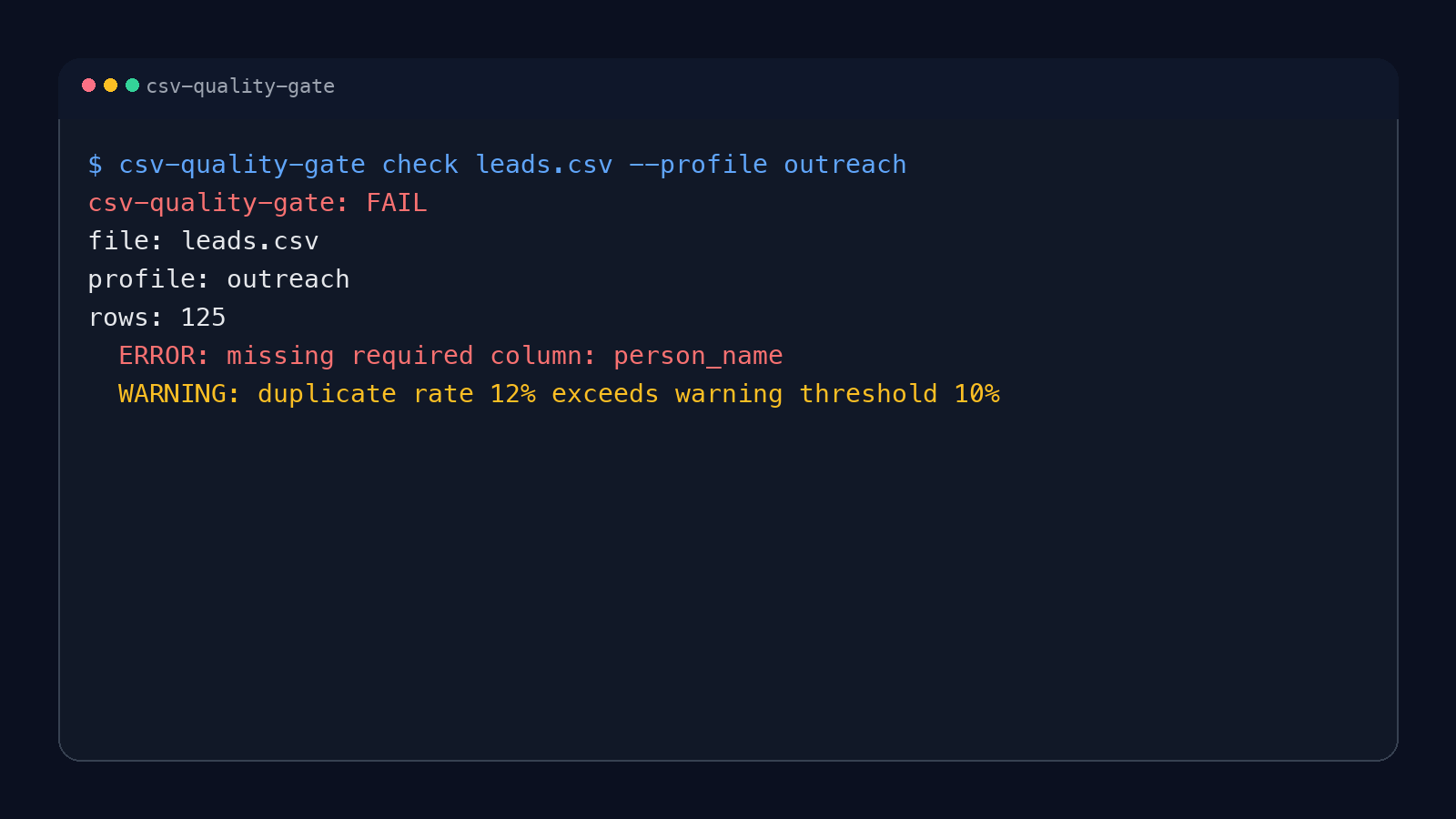 ### Try it with the included fixtures You can verify the gate before connecting it to your own pipeline. From a checkout, install the package and run the included clean and broken inputs: ```bash git clone https://github.com/hermes-labs-ai/csv-quality-gate.git cd csv-quality-gate python -m pip install . csv-quality-gate check examples/clean.csv csv-quality-gate check examples/promptfoo-dataset/tests-broken.csv \ --config examples/promptfoo-dataset/csv-quality-gate.toml \ --profile promptfoo ``` The first command exits `0` with `PASS`; the second exits `2` with bounded line-number evidence for the broken rows. This gives a first-use check without creating a sample CSV or guessing which profile and config to choose. ## Development installation For everyday use, follow the [Quickstart](#quickstart-60-seconds) above. For a source checkout, editable install, and lint/test commands, see [Development](#development) below. ### As an agent skill (Claude Code, Codex CLI, Gemini CLI) The repository root is a portable [Agent Plugin](https://agent-plugins.org) (`plugin.json`) that ships one skill, `skills/csv-quality-gate/SKILL.md`. It teaches the agent to run this gate on the CSV files you name and report the status and line-number evidence without overclaiming. | Host | Install | Read back | | --- | --- | --- | | Claude Code | `claude plugin marketplace add hermes-labs-ai/csv-quality-gate`<br>`claude plugin install csv-quality-gate@csv-quality-gate` | `claude plugin list` | | OpenAI Codex CLI | `codex plugin marketplace add hermes-labs-ai/csv-quality-gate`<br>`codex plugin add csv-quality-gate@csv-quality-gate` | `codex plugin list` | | Gemini CLI | `gemini extensions install https://github.com/hermes-labs-ai/csv-quality-gate --ref main` | `gemini skills list` | | skills.sh | `npx skills add https://github.com/hermes-labs-ai/csv-quality-gate --skill csv-quality-gate` | `npx skills list` | What each host reads: - Claude Code reads `.claude-plugin/marketplace.json` (source `.`) and `.claude-plugin/plugin.json`. - Codex reads the repo marketplace `.agents/plugins/marketplace.json` (source `./`, the root) and the portable `plugin.json`. - Gemini CLI reads `gemini-extension.json` and discovers the skill under `skills/`. Keep `--ref main`: without a ref, Gemini CLI installs the latest GitHub release archive, and releases up to v0.3.0 predate `gemini-extension.json`. Installing the skill does not install the Python package. The skill uses an installed `csv-quality-gate` or runs the pinned release with `uvx csv-quality-gate==0.3.1`. ## Usage ```bash csv-quality-gate check leads.csv csv-quality-gate check leads.csv --profile outreach csv-quality-gate check leads.csv --profile generic --json csv-quality-gate check leads.csv --config csv-quality-gate.toml --profile leads csv-quality-gate check leads.csv --max-examples 20 csv-quality-gate check data/*.csv ``` Options for `check`: - `--profile NAME` — a built-in profile (`generic`, `outreach`) or one declared in `--config`. - `--config FILE` — TOML or JSON file with project-specific profiles (see [Custom profiles](#custom-profiles)). - `--max-examples N` — how many affected line numbers each issue lists (default `5`; `0` keeps counts only). - `--json` — machine-readable output. Several paths can be checked in one call. Text mode prints one block per file, JSON mode emits an array (a single path keeps the plain object), and the exit code is the worst status across files. Exit codes: - `0` pass - `1` warnings only - `2` fail (or `2` when the file does not exist, is not UTF-8, the profile is unknown, or the config is invalid) ## Profiles Built-in profiles: - `generic` - checks for a required `company` column, empty `company` cells, duplicate `company` values, and empty files - `outreach` - requires `company` and `person_name`, with higher empty-rate tolerances and an added suspicious company-name heuristic for GTM/contact pipelines The thresholds for each profile are defined in `src/csv_quality_gate/profiles.py`. ### Custom profiles Declare your own profiles in a TOML (Python 3.11+) or JSON file and pass it with `--config`. A copyable example lives in [`examples/csv-quality-gate.toml`](https://github.com/roli-lpci/csv-quality-gate/blob/HEAD/examples/csv-quality-gate.toml). ```toml [profiles.leads] extends = "outreach" # optional: inherit a built-in's columns, patterns, and rates required_columns = ["email", "company", "person_name"] critical_columns = ["email", "person_name"] duplicate_column = "email" empty_warning_rate = 0.05 empty_fail_rate = 0.20 duplicate_warning_rate = 0.02 duplicate_fail_rate = 0.10 suspicious_column = "email" suspicious_patterns = ['^[^@]+$'] # case-insensitive regular expressions suspicious_warning_rate = 0.20 suspicious_fail_rate = 0.50 ``` ```bash csv-quality-gate check data/leads.csv --config csv-quality-gate.toml --profile leads ``` Rules: - Every key is optional. Without `extends`, a profile starts with no columns, no patterns, and the `generic` thresholds. - A rate of `0.0` means "any occurrence": a check with no affected rows never raises an issue, so a clean file still passes. - Config is data only: column names, rates between `0` and `1`, and regex strings. Unknown keys, out-of-range rates, a warning rate above its fail rate, and invalid regexes are rejected with a precise message, and the CLI returns a normal `fail` receipt (exit `2`) instead of a traceback. - Built-ins stay available next to your profiles. A custom profile with the same name as a built-in replaces it for that run only. - Regexes come from your own repository; keep them simple, since the gate does not guard against pathological patterns. ## Output Text mode (default): ```text csv-quality-gate: FAIL file: leads.csv profile: outreach rows: 125 ERROR: missing required column: person_name WARNING: duplicate rate 12% exceeds warning threshold 10% evidence: column=company affected=15 rows at line(s) 4, 9, 15, 22, 31 (+10 more) ``` Every empty-rate, duplicate-rate, and suspicious-value issue carries bounded evidence: the affected column, the total number of affected rows, and up to `--max-examples` physical line numbers (the header is line 1; a quoted record that spans several lines reports its last line). Cell values are never printed, so receipts stay safe to attach to CI logs or tickets. Duplicate evidence points at the second and later occurrences, so those are the lines to remove. JSON mode (`--json`) emits an object with `path`, `profile`, `rows`, `status`, `issues[]`, and (when `--config` is used) `config`. Each issue has `severity` and `message`; issues backed by rows add an `evidence` object: ```bash csv-quality-gate check leads.csv --json ``` ```json { "path": "leads.csv", "profile": "outreach", "rows": 125, "status": "fail", "issues": [ {"severity": "error", "message": "missing required column: person_name"}, { "severity": "warning", "message": "duplicate rate 12% exceeds warning threshold 10%", "evidence": {"column": "company", "total": 15, "rows": [4, 9, 15, 22, 31]} } ] } ``` ## Limitations / What it does not do - Heuristics are intentionally simple: empty-rate, duplicate-rate, and regex-based name patterns. They do not learn from your data. - It validates shape and obvious noise, not semantic correctness — it cannot tell whether `company` values are real, only whether they are present, unique, and not obviously junk. - The `outreach` profile is opinionated. Its suspicious-name patterns and thresholds were chosen for GTM contact lists and should not be treated as universal truth. - Duplicate and empty checks operate on the columns a profile names; it does not auto-detect which columns matter. Built-ins use `company` and `person_name`; use a config file for anything else. - Evidence is line numbers and counts only. It never quotes cell values, so it cannot tell you *what* a bad value was, only where it is. - It validates each CSV file independently and assumes UTF-8 (BOM-tolerant), comma-separated input. - It is not a data quality platform: no lineage, no profiling reports, no schema inference, no row-level remediation. ## When to use it - Before enrichment, outreach, ETL, or batch scoring runs - As a pre-commit hook or CI step for checked-in CSV inputs - As a preflight gate before expensive pipeline work ## When not to use it - When you need semantic validation of the data itself - When your input is not CSV - When you need a full data quality framework with lineage and profiling ## pre-commit Run the same gate on staged CSV files before they are committed. Add this to your `.pre-commit-config.yaml` (full example in [`examples/pre-commit-config.yaml`](https://github.com/roli-lpci/csv-quality-gate/blob/HEAD/examples/pre-commit-config.yaml)): ```yaml repos: - repo: https://github.com/hermes-labs-ai/csv-quality-gate rev: v0.3.1 hooks: - id: csv-quality-gate args: [--profile, outreach] # or: args: [--config, csv-quality-gate.toml, --profile, leads] ``` The hook receives every staged `.csv` file, prints one report block per file, and blocks the commit on `warn` or `fail`, matching the CLI exit codes. Narrow it with pre-commit's `files:` pattern if only some CSVs should be gated, and tune thresholds through a config file rather than skipping the hook. To try the hook from a local checkout before pinning a release, point a config at the checkout path and a commit: ```yaml repos: - repo: /path/to/csv-quality-gate rev: <commit sha> hooks: - id: csv-quality-gate args: [--profile, outreach] ``` ```bash pre-commit run --config that-file.yaml csv-quality-gate --files data/leads.csv ``` `pre-commit try-repo . csv-quality-gate --files data/leads.csv` also works for the default `generic` profile (try-repo cannot pass hook `args`). ## CI / GitHub Actions Use this repository directly as a composite Action. It installs the packaged CLI, runs the selected profile, and always writes a JSON receipt at `$GITHUB_WORKSPACE/csv-quality-gate-receipt.json`. The `status` and `receipt` outputs remain available even when the Action exits with a warning or failure. ```yaml - id: csv_gate uses: hermes-labs-ai/csv-quality-gate@0b7bf4635b2db468620855e577cd0d9f09f09ec7 # hardened current main; annotations + batch with: csv-path: data/leads.csv profile: leads config: csv-quality-gate.toml # optional; omit to use built-in profiles annotate: true # optional; defaults to false - run: echo "${{ steps.csv_gate.outputs.status }}" ``` For a batch, use `csv-paths` with one path per line instead. Set exactly one of `csv-path` and `csv-paths`; the Action deliberately accepts no free-form command or shell arguments. ```yaml - id: csv_gate_batch uses: hermes-labs-ai/csv-quality-gate@0b7bf4635b2db468620855e577cd0d9f09f09ec7 # hardened current main; batch support with: csv-paths: | data/leads.csv data/customers.csv profile: generic ``` The single-file receipt remains a JSON object. A batch receipt is a JSON array in the same order as `csv-paths`, and its status and exit code reflect the worst file. The Action returns the same exit codes as the CLI: `0` for pass, `1` for warn, and `2` for fail. The receipt contains the same bounded evidence as `--json`, so it is safe to upload as a workflow artifact. Use `continue-on-error: true` on a calling step if your workflow needs to inspect warning or failure outputs before deciding how to proceed. Set `summary: true` to write a compact result to the GitHub Actions job summary. It contains only status, profile, row count, and issue counts; it never includes the CSV path or cell values. Evidence column labels are omitted unless you also set `summary-columns: true`; enable that only when those labels are suitable for the job summary. The additive `tool-version` and `summary-written` outputs identify the installed package version and whether this invocation rendered the summary; the JSON receipt is unchanged. The receipt path is fixed per workspace, so do not run more than one instance in parallel in the same workspace. The Action validates the package's existing CSV heuristics only; it does not add schema inference, semantic verification, or arbitrary CLI options. Set `annotate: true` to add up to 50 GitHub Actions warnings or errors at the receipt-backed CSV file and physical row. The annotations use the gate's existing bounded evidence only and omit cell values, issue messages, and column names. Paths outside the checked-out workspace and issues without row evidence are not annotated. Receipts larger than 1 MiB are skipped without changing the gate's status. This is an advisory location aid, not a security or SARIF report. A ready-to-copy, commit-pinned composite Action workflow also lives in [`examples/github-action.yml`](https://github.com/roli-lpci/csv-quality-gate/blob/HEAD/examples/github-action.yml). ### GitHub Marketplace `action.yml` carries the metadata a Marketplace listing needs (name, description, author, branding). Listing is a maintainer step taken on the GitHub release form, not something the repository does on its own; the steps are in [Releasing](https://github.com/roli-lpci/csv-quality-gate/blob/HEAD/CONTRIBUTING.md#releasing). Whether you reach the Action through Marketplace or this repository, use a full commit SHA in the `uses:` line. ## Recipes Short, copyable setups that put the gate in front of a specific tool. Each uses a custom profile and ships with one passing and one failing fixture you can run from a checkout: - [dbt seeds](https://github.com/roli-lpci/csv-quality-gate/blob/HEAD/examples/dbt-seed.md) — gate `seeds/*.csv` before `dbt seed`. - [promptfoo datasets](https://github.com/roli-lpci/csv-quality-gate/blob/HEAD/examples/promptfoo-dataset.md) — gate a CSV test set before `promptfoo eval`. ## Development ```bash pip install -e ".[dev]" ruff check . python3 -m pytest -q pre-commit try-repo . csv-quality-gate --files tests/fixtures/clean.csv # optional hook smoke test ``` ## Where it fits csv-quality-gate guards the data that goes into a pipeline; it is complementary to, not a replacement for, agent- and prompt-level reliability tools. ## More from Hermes Labs Browse the [open-source catalog](https://hermes-labs.ai/open-source) or contact [roli@hermes-labs.ai](mailto:roli@hermes-labs.ai). ## License Apache-2.0 — see [LICENSE](https://github.com/roli-lpci/csv-quality-gate/blob/HEAD/LICENSE). ## Citation If you use this software, please cite it using the metadata in [`CITATION.cff`](https://github.com/roli-lpci/csv-quality-gate/blob/HEAD/CITATION.cff). DetailsTypePluginsTopicFiles & documentsPublisherroli-lpciSourcegeminiCategoryToolsVersion0.3.1Stars1Copies (forks)1Proposed changes1Last update2026-09-29T13:10:36ZProject statusActiveLanguagePythonLicenseApache-2.0Added2026-10-03 13:53:02Updated2026-10-03 13:53:02Source idroli-lpci/csv-quality-gateMoreMore plugins on Files & documentsAll from roli-lpciA–Z index