# OfficeDex is the AI-native document workspace, powered by OfficeCLI
[](https://officedex.ai)
[](https://github.com/officecli/officecli-dist/releases)
[](https://www.npmjs.com/package/officecli)
[](./LICENSE)
[](https://discord.gg/ezAHMkdG)
[](https://x.com/officecli)
Create, edit, and manage AI-generated `PPTX`, `DOCX`, `XLSX`, reports, and images with
[OfficeDex](https://officedex.ai) — the easiest way to experience everything OfficeCLI can do.
OfficeCLI is a command-line tool that turns natural-language prompts into editable Office files and
standalone images from a terminal, script, CI job, or local automation flow. Use one `officecli` binary
to generate `PPTX`, `DOCX`, `XLSX`, workbook-backed `Report`, and `img` outputs, with hosted trial access
for first runs and External Mode when you want to bring your own LLM endpoint.
Chinese documentation: [README.zh-CN.md](https://github.com/officecli/officecli-skills/blob/HEAD/README.zh-CN.md)
- Get OfficeDex: [officedex.ai](https://officedex.ai)
- Demo gallery: [demos/README.md](https://github.com/officecli/officecli-skills/blob/HEAD/demos/README.md)
- Optional agent skills: [Claude Code](https://github.com/officecli/officecli-skills/blob/HEAD/claude-code/README.md), [Codex](https://github.com/officecli/officecli-skills/blob/HEAD/codex/README.md), [OpenClaw](https://github.com/officecli/officecli-skills/blob/HEAD/openclaw/README.md)
- OfficeCLI website: [officecli.io/officecli](https://officecli.io/officecli)
- Community: [Discord](https://discord.gg/ezAHMkdG)
## Install in one command
npm is the recommended install path for most users:
```bash
npm install -g officecli
```
Verify the installed binary:
```bash
officecli --version
officecli auth status
```
Alternative install paths are available when npm is not a good fit.
Install the latest release binary directly:
```bash
curl -fsSL https://raw.githubusercontent.com/officecli/officecli-dist/main/scripts/install-officecli.sh | bash
```
Or install with Homebrew:
```bash
brew tap officecli/officecli
brew install officecli
```
## Generate files from the CLI
Hosted anonymous trial access is available by default, so the first run does not require a local model
endpoint or API key.
Generate a PPTX deck:
```bash
officecli new pptx "Q3 Business Review" --prompt "Create a six-slide executive deck for a SaaS quarterly business review. Cover growth, retention, risks, and next-quarter actions."
```
Generate a DOCX:
```bash
officecli new docx "Product Launch Brief" --prompt "Write a concise launch brief with audience, positioning, timeline, risks, and next steps."
```
Generate an XLSX workbook:
```bash
officecli new xlsx "Sales Pipeline" --prompt "Create a sales pipeline workbook with stages, owners, deal values, probability, and next action columns."
```
Generate a workbook-backed report:
```bash
officecli new report "Q2 Business Review" --file ./data/q2_metrics.xlsx --prompt "Summarize regional revenue shifts and the board-level decision points."
```
Generate a standalone image:
```bash
officecli new img "Launch Visual" --prompt "Create a polished product launch hero image for an enterprise collaboration platform." --ratio landscape --reference-image ./reference.png
```
Generated files are written to `./output` by default. Use `--out <dir>` to choose another directory,
`--json` for machine-readable output, and `--no-publish` when you want local-only output.
For `PPTX`, OfficeCLI generates and embeds suitable images by default. Use `--no-images` for a
text-only deck.
## What OfficeCLI is best for
| Search intent | OfficeCLI capability |
| --- | --- |
| AI PPTX generator | Create editable PowerPoint decks from prompts, with images by default and `--no-images` for text-only decks. |
| DOCX generator CLI | Draft editable Word documents for briefs, memos, proposals, and customer-facing documents. |
| XLSX automation | Generate workbooks, trackers, dashboards, and analysis sheets from structured prompts. |
| Report generation | Use an existing workbook as evidence and generate a readable workbook-backed report. |
| Image generation CLI | Generate standalone `img` outputs with `--ratio square\|landscape\|portrait` and optional reference images. |
| Local-first document automation | Run from a terminal, script, CI job, or agent workflow with one installable binary. |
## Runtime and access modes
Check the current access mode:
```bash
officecli auth status
```
When the hosted trial is used up, create or purchase a hosted key from https://officecli.io/pricing,
then save it:
```bash
officecli auth set-key <api-key>
```
To use your own model endpoint instead of Hosted Mode, switch to External Mode and initialize
generation:
```bash
officecli config set-runtime external
officecli config set-generation
```
Configure optional online publishing:
```bash
officecli config set-publish
```
Inspect the current config:
```bash
officecli config status
```
## What the binary supports
The `officecli` binary supports:
- AI PPTX generation for decks, proposals, and executive briefings
- AI DOCX drafting for retrospectives, memos, and customer-facing documents
- AI XLSX generation for workbooks, trackers, and analysis sheets
- workbook-backed reports
- standalone image generation with `--ratio square|landscape|portrait`
- optional reference images for standalone `img` output
- local-only generation with `--no-publish`
- structural PPTX scoring with `officecli score pptx <file>`
The compatibility alias remains available:
```bash
officecli review pptx ./output/Enterprise-Collaboration-Platform.pptx
```
## Generation demos
These checked-in demos show the visible result and the reproducible inputs together. Each demo includes
a preview image, the generated artifact, `prompt.md`, `metadata.json`, and the command used to reproduce
the flow with a configured OfficeCLI runtime.
| AI PPTX, DOCX, XLSX, report, and image demos | Preview | Files |
| --- | --- | --- |
| AI PPTX generator with images | 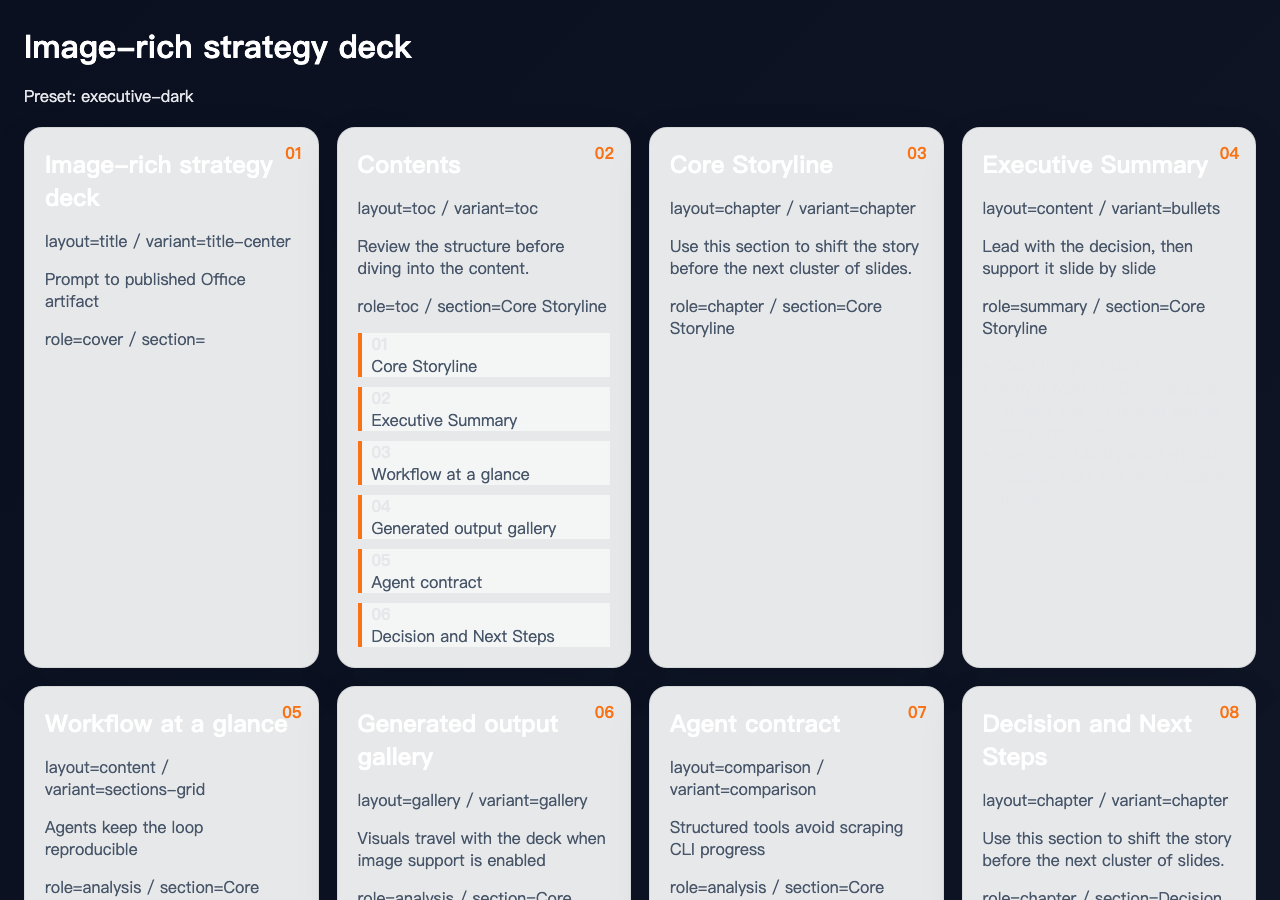 | [PPTX](https://github.com/officecli/officecli-skills/blob/HEAD/demos/pptx-image-rich/image-rich-strategy-deck.pptx) · [Prompt](https://github.com/officecli/officecli-skills/blob/HEAD/demos/pptx-image-rich/prompt.md) · [Metadata](https://github.com/officecli/officecli-skills/blob/HEAD/demos/pptx-image-rich/metadata.json) |
| Text-only AI PPTX generator | 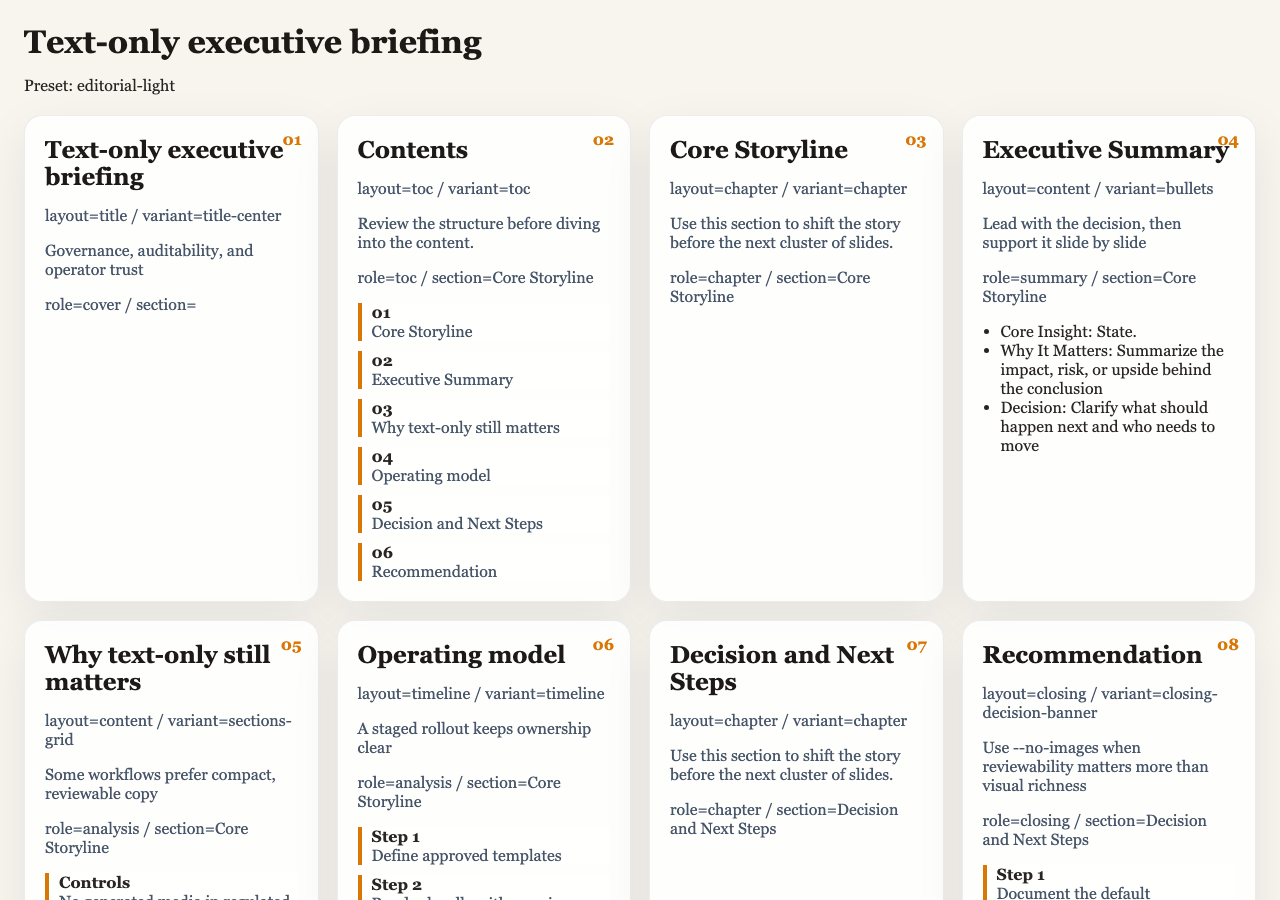 | [PPTX](https://github.com/officecli/officecli-skills/blob/HEAD/demos/pptx-text-only/text-only-executive-briefing.pptx) · [Prompt](https://github.com/officecli/officecli-skills/blob/HEAD/demos/pptx-text-only/prompt.md) · [Metadata](https://github.com/officecli/officecli-skills/blob/HEAD/demos/pptx-text-only/metadata.json) |
| DOCX generator CLI | 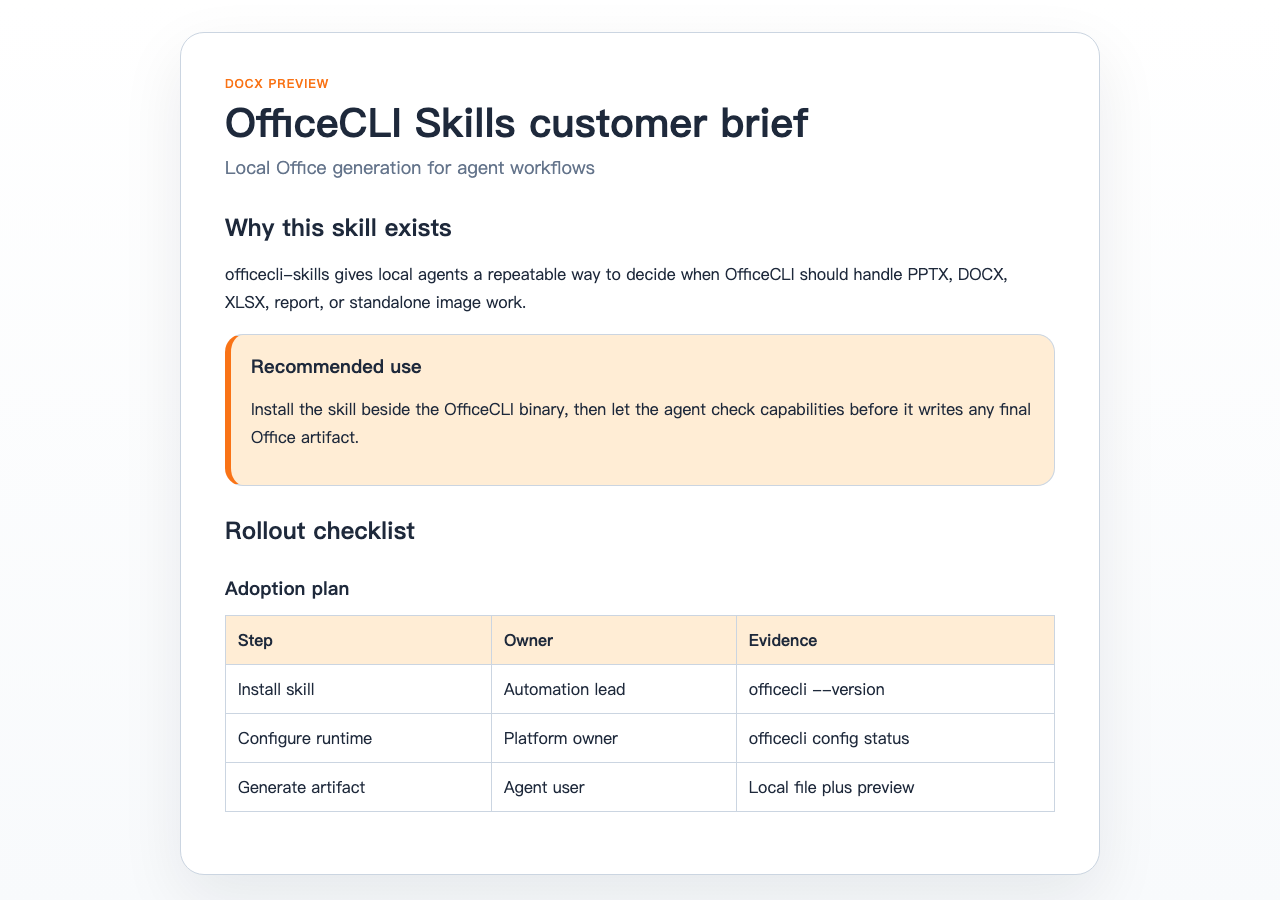 | [DOCX](https://github.com/officecli/officecli-skills/blob/HEAD/demos/docx-brief/officecli-customer-brief.docx) · [Prompt](https://github.com/officecli/officecli-skills/blob/HEAD/demos/docx-brief/prompt.md) · [Metadata](https://github.com/officecli/officecli-skills/blob/HEAD/demos/docx-brief/metadata.json) |
| XLSX automation dashboard | 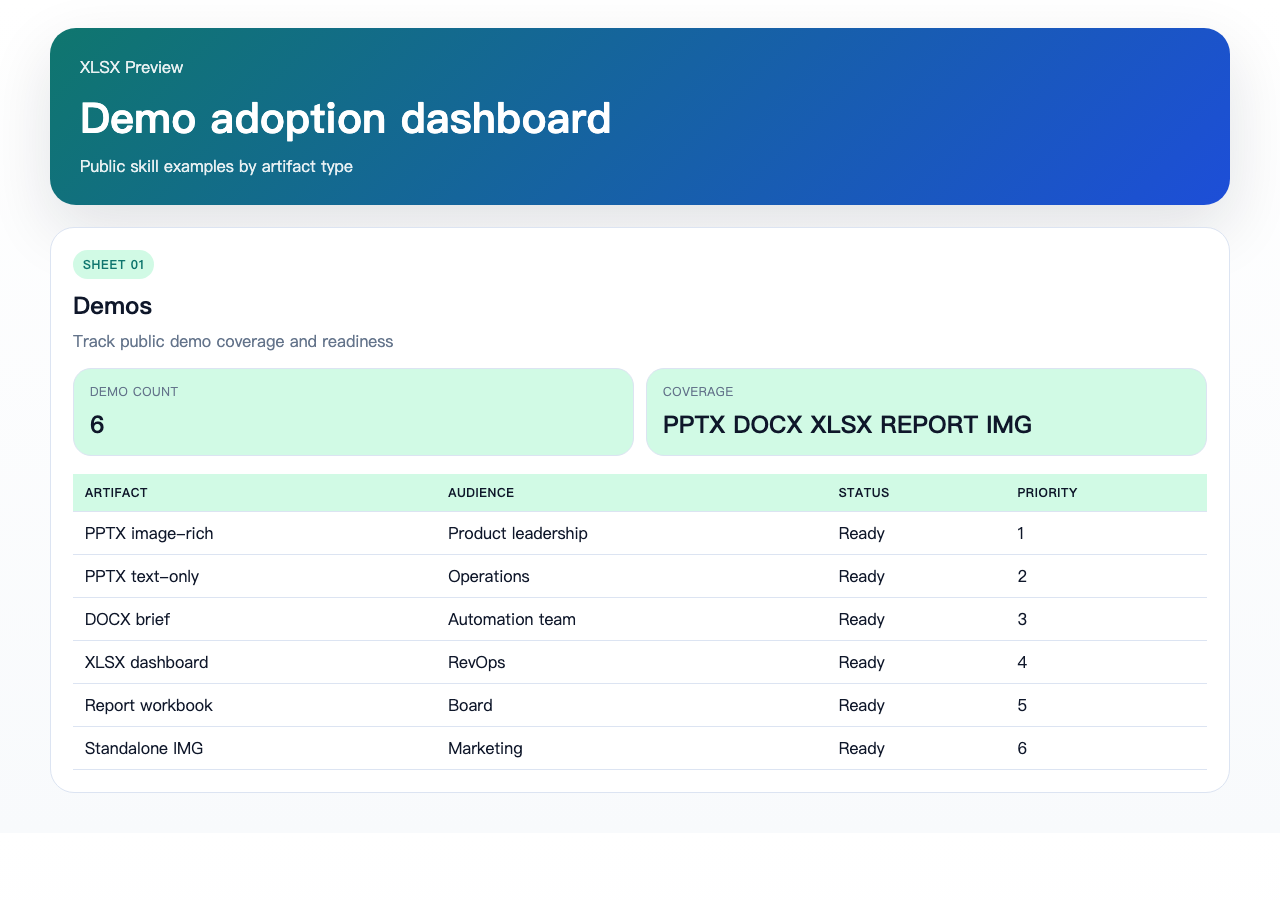 | [XLSX](https://github.com/officecli/officecli-skills/blob/HEAD/demos/xlsx-dashboard/demo-adoption-dashboard.xlsx) · [Prompt](https://github.com/officecli/officecli-skills/blob/HEAD/demos/xlsx-dashboard/prompt.md) · [Metadata](https://github.com/officecli/officecli-skills/blob/HEAD/demos/xlsx-dashboard/metadata.json) |
| Workbook-backed report generation | 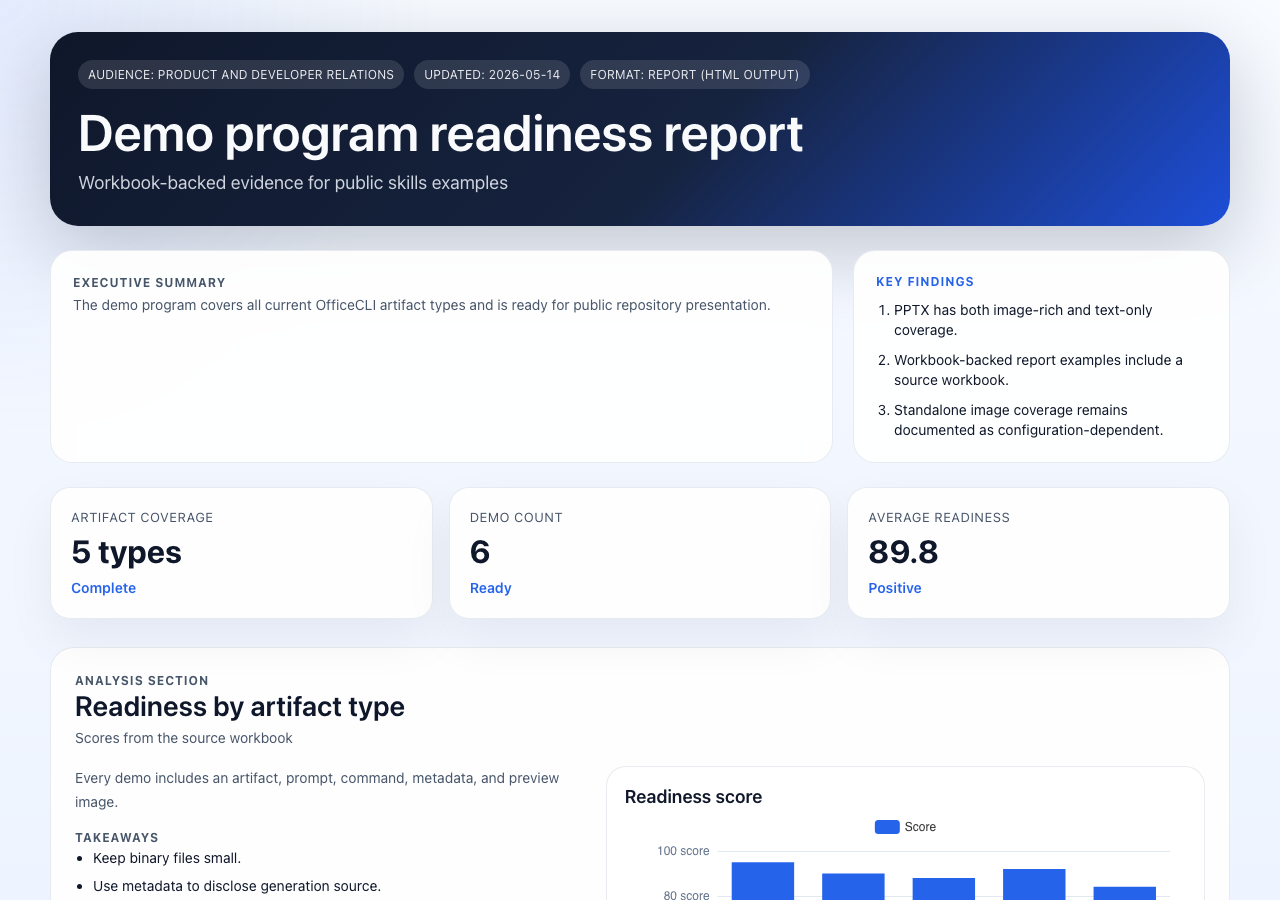 | [HTML report](https://github.com/officecli/officecli-skills/blob/HEAD/demos/report-workbook/demo-program-readiness-report.html) · [Source XLSX](https://github.com/officecli/officecli-skills/blob/HEAD/demos/report-workbook/demo-program-source-workbook.xlsx) · [Prompt](https://github.com/officecli/officecli-skills/blob/HEAD/demos/report-workbook/prompt.md) |
| Image generation CLI |  | [PNG](https://raw.githubusercontent.com/officecli/officecli-skills/HEAD/demos/standalone-img/officecli-hero-image.png) · [Prompt](https://github.com/officecli/officecli-skills/blob/HEAD/demos/standalone-img/prompt.md) · [Metadata](https://github.com/officecli/officecli-skills/blob/HEAD/demos/standalone-img/metadata.json) |
See [demos/README.md](https://github.com/officecli/officecli-skills/blob/HEAD/demos/README.md) for the complete reproducibility table and verification notes.
## Optional AI agent integrations
AI agents can use OfficeCLI through public skills when you want the agent to route Office tasks into the
local binary instead of calling the CLI manually. This is optional: the primary interface is still the
`officecli` command.
### Claude Code
OfficeCLI can be installed directly by Claude Code from the marketplace source.
OfficeCLI marketplace source:
```text
/plugin marketplace add officecli/officecli
```
Install the primary plugin:
```text
/plugin install officecli@officecli
```
### Codex and other local agents
Use the direct installer when you want the public skill files without marketplace installation.
Use `wget`:
```bash
wget -qO- https://raw.githubusercontent.com/officecli/officecli/main/scripts/install-skill.sh | bash -s -- officecli
```
Or use `curl`:
```bash
curl -fsSL https://raw.githubusercontent.com/officecli/officecli/main/scripts/install-skill.sh | bash -s -- officecli
```
If you only want the skill and do not want to auto-install the binary:
```bash
curl -fsSL https://raw.githubusercontent.com/officecli/officecli/main/scripts/install-skill.sh | AUTO_INSTALL_BINARY=0 bash -s -- officecli
```
### OpenClaw
If you want OpenClaw users to generate local Office files directly from Telegram, Discord, Slack, or
other channels, install the OpenClaw-facing skill package.
Use `wget`:
```bash
wget -qO- https://raw.githubusercontent.com/officecli/officecli/main/scripts/install-openclaw-skill.sh | bash
```
Or use `curl`:
```bash
curl -fsSL https://raw.githubusercontent.com/officecli/officecli/main/scripts/install-openclaw-skill.sh | bash
```
The OpenClaw installer will:
- install `openclaw-officecli` into `~/.openclaw/skills`
- create `config.yaml` from `config.example.yaml` when needed
- try to auto-install the `officecli` binary when it is missing
If you only want the OpenClaw skill and do not want to auto-install the binary:
```bash
curl -fsSL https://raw.githubusercontent.com/officecli/officecli/main/scripts/install-openclaw-skill.sh | AUTO_INSTALL_BINARY=0 bash
```
## Requirements
- a local `officecli` binary
- OfficeCLI access through hosted trial, hosted key, or External Mode configuration
- optional publishing configuration when you want online preview URLs
- for agent integrations, permission for the agent client to invoke local commands on the same machine
Quick verification after installation:
```bash
officecli --version
officecli config status
```
For OpenClaw, also verify:
```bash
officecli agent-bridge
```
## OfficeCLI and officecli fit together
- `officecli` is the command-line binary you use to generate Office files and images
- this repository is the public install, docs, demos, and integration surface for that binary
- `officecli` is also the general optional skill for Claude Code, Codex, and other local agents
- `openclaw-officecli` is the OpenClaw-oriented package
## FAQ
### Is this repository a hosted SaaS plugin backend?
No. This repository distributes binary install docs, demos, scripts, and optional local skill wrappers.
### Does the CLI require an AI agent?
No. The main workflow is direct CLI usage through commands like `officecli new pptx`, `officecli new
docx`, `officecli new xlsx`, `officecli new report`, and `officecli new img`.
### Can AI agents create PPTX, DOCX, XLSX, report, or img outputs with this repository?
Yes, when the local `officecli` runtime is installed and configured. The repository tells the agent how
to route supported Office and image tasks into the local OfficeCLI binary.
### Why does this repository mention Codex as well as Claude Code?
Because marketplace install is only one entrypoint. This repository also distributes direct skill files
for Codex-style local agents and other agent runtimes.
### Does this repository contain the full OfficeCLI implementation?
No. It contains public install docs, demos, scripts, skill definitions, and plugin wrappers.
## Layout
- `install/README.md`: install entrypoint for search and onboarding
- `claude-code/README.md`: Claude Code marketplace install guide
- `codex/README.md`: direct local install guide for Codex-style agents
- `openclaw/README.md`: OpenClaw installer and bridge guide
- `faq/README.md`: FAQ entrypoint
- `.claude-plugin/marketplace.json`: Claude Code marketplace definition
- `demos/`: reproducible demo gallery with preview images, prompts, metadata, and generated files
- `plugins/officecli/`: Claude Code plugin wrapper for the `officecli` skill
- `plugins/openclaw-officecli/`: Claude Code plugin wrapper for the `openclaw-officecli` skill
- `skills/officecli/`: public OfficeCLI skill definition
- `skills/openclaw-officecli/`: public OpenClaw skill definition
- `scripts/install-skill.sh`: shell installer for direct `wget` / `curl` usage
- `scripts/install-openclaw-skill.sh`: shell installer for OpenClaw users



