hotmarks
Semantic formatting plugin that gives your prompts weight. Type **bold** to mark non-negotiable directives — Claude must follow them exactly
Open source Repository Open in the app JSON README (API)
About
Semantic formatting plugin that gives your prompts weight. Type **bold** to mark non-negotiable directives — Claude must follow them exactly. Type __underline__ to mark critical emphasis — Claude prioritizes them above everything else. A prompt-submit hook automatically detects markers, skips code blocks, and injects structured semantic context. Three modes (reminder, transform, both), configurable via .hotmarks file, zero runtime dependencies.
Details
- Kind
- Plugins
- Topic
- Developer tools
- Publisher
- adhamhossamm
- Origin
- marketplace
- Category
- ferramentas
- Last push
- 2026-09-07T18:14:09Z
- Repository state
- ativo
- Language
- TypeScript
- License
- MIT
- Added
- 2026-08-30 01:48:58
- Updated
- 2026-08-30 01:48:58
- Origin id
adhamhossamm/hotmarks-forclaudecode/hotmarks
README
# HotMarks
**Give your prompts weight.** Semantic formatting plugin for Claude Code.
---
## What is HotMarks?
When you talk to Claude Code, every word in your prompt is treated equally. A casual remark and a critical rule carry the same weight. HotMarks changes that.
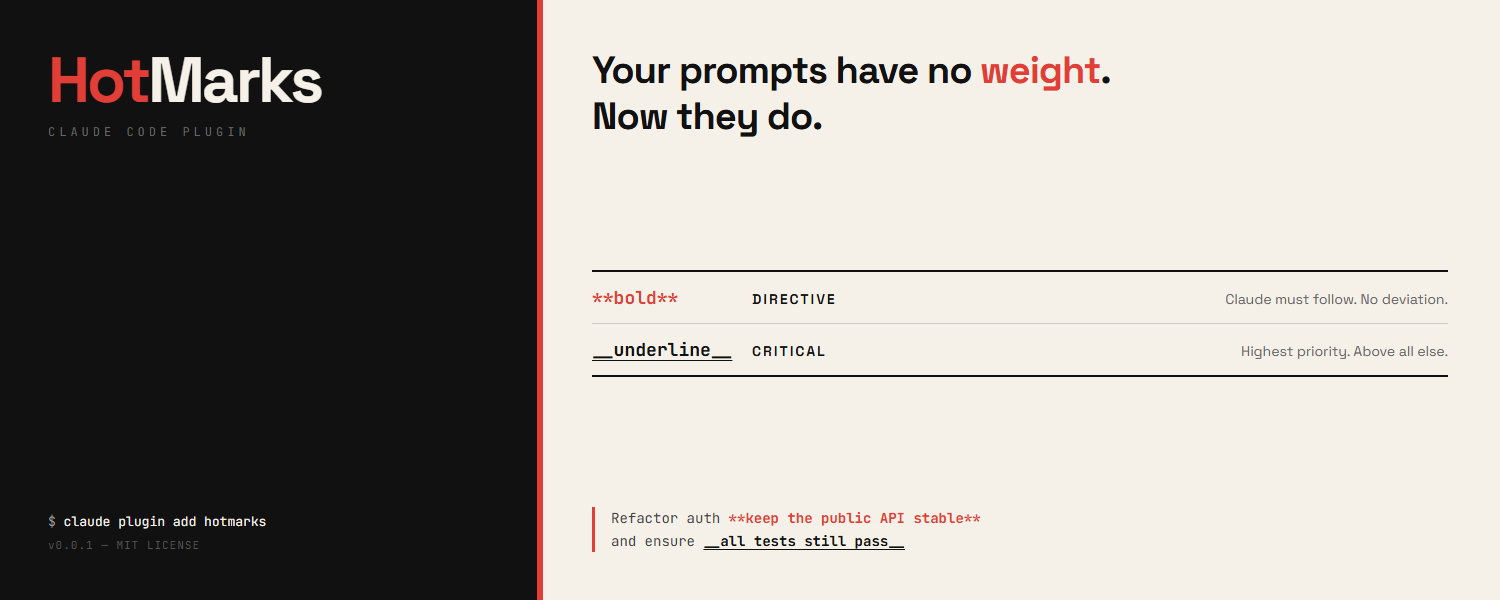
With HotMarks, you can mark specific parts of your prompt as:
| What you type | What it means | What Claude does |
|---------------|---------------|------------------|
| `**do not delete the database**` | **Directive** — a hard rule | Claude treats this as non-negotiable. No exceptions. |
| `__make sure tests pass__` | **Critical** — top priority | Claude prioritizes this above everything else. |
Everything else in your prompt stays normal priority.
### Example
You type this in Claude Code:
```
Refactor the auth module **do not change the public API** and __ensure all tests pass__
```
HotMarks automatically tells Claude:
- "do not change the public API" is a **hard rule** — follow it exactly
- "ensure all tests pass" is **critically important** — prioritize it
No extra steps. No setup menus. Just type your markers and submit.
---
## Install
### Step 1: Add the plugin
Open Claude Code and run:
```bash
claude plugin add hotmarks
```
### Step 2: Create your config (optional)
```bash
npx hotmarks setup
```
This creates a `.hotmarks` file in your project folder. You can skip this — HotMarks works with sensible defaults out of the box.
**That's it.** HotMarks is now active on every prompt you submit.
---
## How to Use
### Marking a directive (hard rule)
Wrap text in double asterisks — `**like this**`:
```
Build the payment API **never log credit card numbers**
```
Claude will treat "never log credit card numbers" as an absolute constraint it cannot violate.
### Marking critical emphasis (top priority)
Wrap text in double underscores — `__like this__`:
```
Fix the login bug __this is blocking production__
```
Claude will treat "this is blocking production" as the highest-priority concern.
### Using both together
```
Migrate the database **do not drop any tables** and __zero downtime required__
```
Claude knows:
- "do not drop any tables" → hard rule, must obey
- "zero downtime required" → most important concern
### What about code blocks?
HotMarks is smart — it ignores markers inside code blocks. So this:
````
Show me how to use `**bold**` in markdown
````
won't trigger a directive. Only markers in your regular prompt text are detected.
---
## Configuration
HotMarks works without any configuration. If you want to customize behavior, edit the `.hotmarks` file in your project root:
```json
{
"mode": "reminder",
"skipCodeBlocks": true
}
```
### Modes
| Mode | What it does |
|------|-------------|
| `reminder` | Adds context explaining your markers to Claude (default) |
| `transform` | Replaces markers with explicit tags like `[DIRECTIVE: ...]` |
| `both` | Does both |
### Where HotMarks looks for config
1. `.hotmarks` in your current project folder
2. `.hotmarks` in your home directory (`~/.hotmarks`)
3. Built-in defaults (if no file found)
---
## Update
To update HotMarks to the latest version:
```bash
claude plugin remove hotmarks
claude plugin add hotmarks
```
---
## Uninstall
### Remove the plugin
```bash
claude plugin remove hotmarks
```
### Remove the config file (optional)
```bash
npx hotmarks uninstall
```
Or just delete the `.hotmarks` file from your project folder manually.
---
## How It Works (Technical)
1. You type `**text**` or `__text__` in your prompt
2. On submit, the `UserPromptSubmit` hook fires
3. HotMarks parses your prompt for markers (skipping code blocks)
4. Based on your config mode, it injects semantic context via `additionalContext`
5. Claude receives structured priority information alongside your prompt
The plugin runs entirely locally. No data is sent anywhere. No network requests.
---
## Development
```bash
npm install # install dependencies
npm run build # compile TypeScript
npm test # run all 31 tests
```
### Run locally
```bash
claude --plugin-dir .
```
---
## Requirements
- Node.js 18 or newer
- Claude Code CLI
- Zero runtime dependencies
---
## Star History
<a href="https://www.star-history.com/?repos=AdhamHossamm%2FHotMarks-forClaudeCode&type=date&legend=top-left">
<picture>
<source media="(prefers-color-scheme: dark)" srcset="https://api.star-history.com/chart?repos=AdhamHossamm/HotMarks-forClaudeCode&type=date&theme=dark&legend=top-left" />
<source media="(prefers-color-scheme: light)" srcset="https://api.star-history.com/chart?repos=AdhamHossamm/HotMarks-forClaudeCode&type=date&legend=top-left" />
<img alt="Star History Chart" src="https://api.star-history.com/chart?repos=AdhamHossamm/HotMarks-forClaudeCode&type=date&legend=top-left" />
</picture>
</a>
---
## Contributing
See [CONTRIBUTING.md](CONTRIBUTING.md) for guidelines.
## Security
See [SECURITY.md](SECURITY.md) for reporting vulnerabilities.
## License
[MIT](LICENSE) — see [DISCLAIMER.md](DISCLAIMER.md) for full terms of use.
---
**Built by [Tawaar Technologies](https://github.com/TawaarTech) with Claude Code**