FirebaseUI-iOS knowledge bundle
Bundle OKF 0.1 · 13 conceitos · firebase/FirebaseUI-iOS
Open source Repository Open in the app JSON README (API)
About
# FirebaseUI-iOS knowledge bundle
Agent-oriented knowledge for this repository. Prefer these docs over improvised shell diagnostics or copying patterns from other FirebaseUI / React Native Firebase repos without re-deriving commands from this tree.
- [Documentation/commit policy](/documentation-policy.md) — durable vs ephemeral, commits as documentation, PR titles, OKF consistency
# Testing
- [Agent command policy](/testing/agent-command-policy.md) — allowlisted shell commands (install, lint, unit, integration, UI, CocoaPods)
- [Change authoring workflow](/testing/change-authoring-workflow.md) — verified change loop (unit-focused → area-focused review → commit); [§ validation evidence (blocking)](testing/change-authoring-workflow.md#validation-evidence-blocking)
- [Iteration vocabulary](/testing/iteration-vocabulary.md) — work type, tier, and queue field identifiers
- [Running tests](/testing/running-tests.md) — canonical SwiftUI and UIKit test commands, narrowing, emulator
- [Vali
Details
- Kind
- OKF bundles
- Topic
- Developer tools
- Publisher
- firebase
- Origin
- okf_github
- Category
- dados
- Version
- 0.1
- Stars
- 1,593
- Forks
- 493
- Open pull requests
- 1
- Last push
- 2026-09-11T07:07:56Z
- Repository state
- ativo
- Language
- Swift
- License
- Apache-2.0
- Added
- 2026-09-09 05:03:59
- Updated
- 2026-09-09 05:03:59
- Origin id
firebase/FirebaseUI-iOS:okf-bundle/index.md
README
# FirebaseUI for iOS — UI Bindings for Firebase
    
FirebaseUI is an open-source library for iOS that allows you to quickly connect common UI elements to the [Firebase](https://firebase.google.com?utm_source=FirebaseUI-iOS) database for data storage, allowing views to be updated in realtime as they change, and providing simple interfaces for common tasks like displaying lists or collections of items.
Additionally, FirebaseUI provides modern SwiftUI authentication components that simplify Firebase authentication by integrating with common identity providers like Facebook, Twitter, Google, and Apple.
FirebaseUI clients are also available for [Android](https://github.com/firebase/FirebaseUI-Android) and [web](https://github.com/firebase/firebaseui-web).
## Installing FirebaseUI for iOS
FirebaseUI supports iOS 17.0+ and Xcode 15+.
### Swift Package Manager (Recommended)
For SwiftUI authentication and modern features, use Swift Package Manager:
1. In Xcode, go to File > Add Package Dependencies
2. Enter the repository URL: `https://github.com/firebase/FirebaseUI-iOS`
3. Select the modules you need:
- `FirebaseAuthSwiftUI` - Core SwiftUI authentication
- `FirebaseGoogleSwiftUI` - Google Sign-In
- `FirebaseFacebookSwiftUI` - Facebook Login
- `FirebasePhoneAuthSwiftUI` - Phone Authentication
- `FirebaseAppleSwiftUI` - Sign in with Apple
- `FirebaseTwitterSwiftUI` - Twitter Login
- `FirebaseOAuthSwiftUI` - Generic OAuth providers
### CocoaPods
For UIKit data binding features (Database, Firestore, Storage), use [CocoaPods](https://cocoapods.org/pods/FirebaseUI):
```ruby
# Only pull in Firestore features
pod 'FirebaseUI/Firestore'
# Only pull in Database features
pod 'FirebaseUI/Database'
# Only pull in Storage features
pod 'FirebaseUI/Storage'
```
If you're including FirebaseUI in a project, make sure you also have:
```ruby
platform :ios, '13.0'
use_frameworks!
```
## Documentation
The READMEs for components of FirebaseUI can be found in their respective project folders.
### SwiftUI Components
- [SwiftUI Authentication](FirebaseSwiftUI/README.md)
### UIKit Data Binding Components
- [Database](FirebaseDatabaseUI/README.md)
- [Firestore](FirebaseFirestoreUI/README.md)
- [Storage](FirebaseStorageUI/README.md)
## Local Setup
If you'd like to contribute to FirebaseUI for iOS, you'll need to run the following commands to get your environment set up:
```bash
$ git clone https://github.com/firebase/FirebaseUI-iOS.git
$ cd FirebaseUI-iOS
# For SwiftUI components (uses Swift Package Manager)
$ cd samples/swiftui/FirebaseSwiftUISample
$ open FirebaseSwiftUISample.xcodeproj
# For UIKit data binding components (uses CocoaPods)
$ cd FirebaseDatabaseUI # or FirebaseFirestoreUI, FirebaseStorageUI
$ pod install
```
## Sample Projects
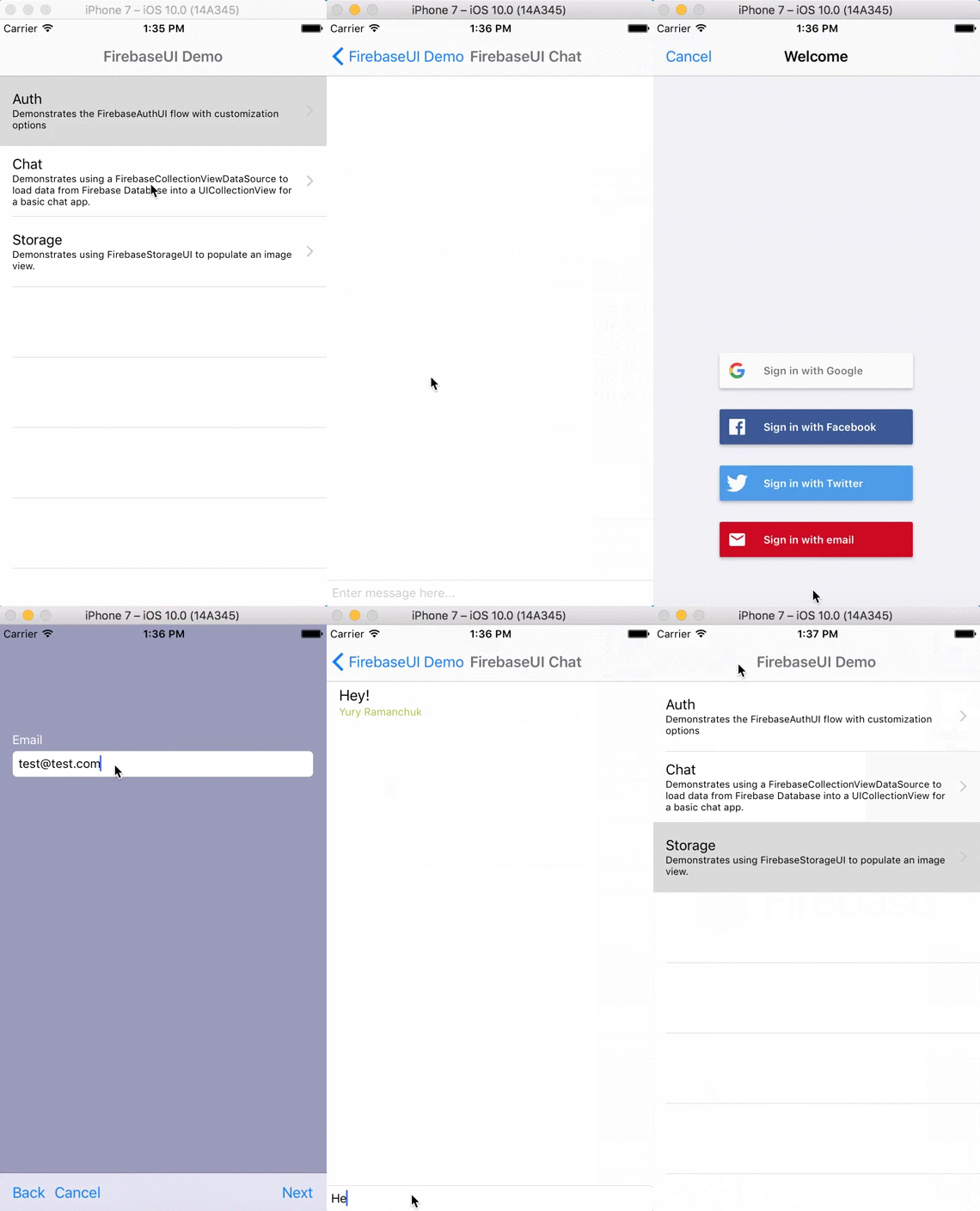
FirebaseUI includes several sample projects demonstrating different features:
### SwiftUI Authentication Sample
Located in `samples/swiftui/FirebaseSwiftUISample/`, this sample demonstrates the modern SwiftUI authentication components.
**Configuration:**
1. Download `GoogleService-Info.plist` from [Firebase Console](https://console.firebase.google.com)
2. Copy it to the sample project folder
3. Update URL Types (for OAuth providers) in `Project Settings -> Info tab -> Url Types`:
- `REVERSED_CLIENT_ID` (from `GoogleService-Info.plist`) - Required for Google Sign-In
- `fb{your-app-id}` - Required for Facebook Login
4. For Facebook Login, update `Info.plist` with `FacebookAppID` and enable Keychain Sharing
### UIKit Database & Storage Samples
Located in `samples/objc/` and `samples/swift/`, these samples demonstrate FirebaseUI's data binding capabilities for Realtime Database and Storage.
**Configuration:**
1. Download `GoogleService-Info.plist` from [Firebase Console](https://console.firebase.google.com)
2. Copy it to `samples/objc/GoogleService-Info.plist` or `samples/swift/GoogleService-Info.plist`
3. Run `pod install` in the sample directory
4. Configure your Firebase Database and Storage in the Firebase Console
5. For the Chat sample, enable anonymous authentication in Firebase Console
6. For the Storage sample, configure appropriate [Storage Security Rules](https://firebase.google.com/docs/storage/security/start#sample-rules)
## Contributing to FirebaseUI
### Contributor License Agreements
We'd love to accept your sample apps and patches! Before we can take them, we
have to jump a couple of legal hurdles.
Please fill out either the individual or corporate Contributor License Agreement
(CLA).
* If you are an individual writing original source code and you're sure you
own the intellectual property, then you'll need to sign an [individual CLA]
(https://developers.google.com/open-source/cla/individual).
* If you work for a company that wants to allow you to contribute your work,
then you'll need to sign a [corporate CLA]
(https://developers.google.com/open-source/cla/corporate).
Follow either of the two links above to access the appropriate CLA and
instructions for how to sign and return it. Once we receive it, we'll be able to
accept your pull requests.
### Contribution Process
1. Submit an issue describing your proposed change to the repo in question.
1. The repo owner will respond to your issue promptly.
1. If your proposed change is accepted, and you haven't already done so, sign a
Contributor License Agreement (see details above).
1. Fork the desired repo, develop and test your code changes.
1. Ensure that your code adheres to the existing style of the library to which
you are contributing.
1. Ensure that your code has an appropriate set of unit tests which all pass.
1. Submit a pull request