io.github.salatmaster/keenetic-mcp
Control a Keenetic router: devices, Wi-Fi, VPN routing, segments, safe verified writes.
Open source Open in the app JSON README (API)
About
Control a Keenetic router: devices, Wi-Fi, VPN routing, segments, safe verified writes.
Details
- Kind
- MCP servers
- Topic
- No topic detected
- Publisher
- salatmaster
- Origin
- official
- Category
- ferramentas
- Transport
- local
- Version
- 0.3.1
- Stars
- 19
- Forks
- 4
- Last push
- 2026-08-09T13:17:45Z
- Repository state
- ativo
- Language
- TypeScript
- License
- MIT
- Added
- 2026-08-29 04:01:21
- Updated
- 2026-08-29 04:01:21
- Origin id
io.github.salatmaster/keenetic-mcp
README
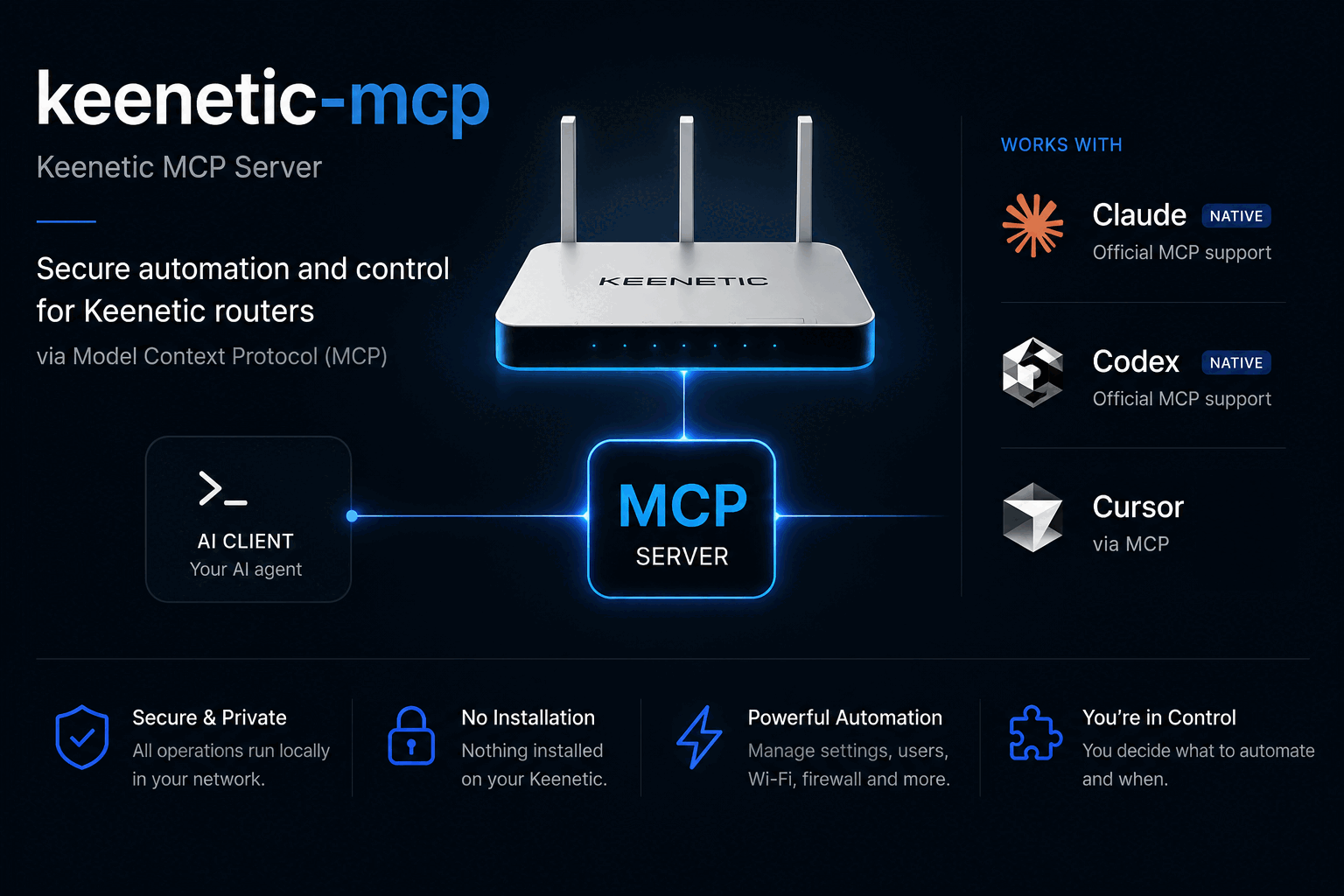
# keenetic-mcp
**Control your Keenetic router from Claude, Codex, Cursor, or any MCP agent.**
[](https://www.npmjs.com/package/keenetic-mcp)
[](LICENSE)
[](https://modelcontextprotocol.io)
[](#supported-routers)
Ask your agent about your network in plain language. No USB stick, no Entware,
nothing installed on the router.
```
> who is using the most bandwidth right now?
Three devices are active. Sorted by traffic:
work-laptop wifi:HomeNet -46 dBm 7.7 GB down
living-room-tv wired:Home 3.2 GB down
hallway-camera wifi:HomeNet -48 dBm 5.4 MB down
The laptop is on the 2.4 GHz radio at -46 dBm, which is a strong
signal, so the throughput is not a coverage problem.
> block the camera until tomorrow morning
Blocked hallway-camera (02:00:00:00:00:14).
Applied to the running configuration and verified, but NOT saved.
A reboot discards it. Backup taken before the change:
~/Library/Application Support/keenetic-mcp/backups/…txt
Say the word and I will make it permanent, or leave it and it
reverts on the next restart.
```
## Why
- **Nothing on the router.** It talks to the router's own HTTP API over your
LAN. No USB drive, no Entware, no firmware modification.
- **Works on any Keenetic.** The tool set adapts to what your specific model and
firmware actually support.
- **Safe by construction.** Changes are never saved unless you ask, a backup is
taken before the first one, and every change is read back and verified before
it is reported as done.
- **Read-only if you want it.** One flag and the agent physically cannot change
anything.
## Install
### Claude Code
```
/plugin marketplace add salatmaster/keenetic-mcp
/plugin install keenetic@keenetic
```
Then run the setup wizard in your terminal:
```
npx -y keenetic-mcp init
```
### Codex
```
codex plugin marketplace add salatmaster/keenetic-mcp
codex plugin add keenetic@keenetic
npx -y keenetic-mcp init
```
This brings the skills along with the server. For the server on its own:
```
codex mcp add keenetic -- npx -y keenetic-mcp
```
### Anything else
```json
{
"mcpServers": {
"keenetic": { "command": "npx", "args": ["-y", "keenetic-mcp"] }
}
}
```
The wizard finds your router from the default gateway, confirms it really is a
Keenetic, checks the password against it, and stores the password in your
operating system keychain. Only the address and login go in a settings file.
Prefer environment variables? `KEENETIC_HOST`, `KEENETIC_USER` and
`KEENETIC_PASSWORD` override everything, which is what you want in a container.
## What it can do
**Read**
| Tool | |
|---|---|
| `list_devices` | every device, filtered by active, wired, wireless or blocked, sorted by traffic or signal |
| `get_device` | one device in full: lease, Wi-Fi rate, policy, schedule, traffic |
| `list_interfaces` | WAN links, bridges, access points, VPN tunnels |
| `get_interface` | one interface in full, including WireGuard peers |
| `get_wifi_status` | radios by band, with client counts |
| `get_internet_status` | reachability, and which check failed |
| `list_routes` | routing table, or just the default route |
| `list_policies` | connection policies for selective routing |
| `get_system_info` | model, firmware, CPU, memory, installed components |
| `get_config_state` | unsaved changes, who changed what and when |
| `list_segments` | every bridge, and whether the web interface lists it as a segment |
| `backup_config` | download the configuration to a local file |
**Change**
| Tool | |
|---|---|
| `update_device` | rename, block or allow, assign a routing policy, schedule or priority |
| `set_interface_state` | bring an interface up or down |
| `create_segment` | a guest or IoT network the web interface actually lists, with Wi-Fi, DHCP and optional VPN routing |
| `delete_segment` | remove a segment and everything created with it |
| `save_config` | make pending changes survive a reboot |
**Escape hatch**
| Tool | |
|---|---|
| `rci_call` | any router API path at all, for whatever the tools above do not cover |
## Skills included
The plugin ships four skills, so the agent knows how your router behaves rather
than guessing. One plugin directory serves both Claude Code and Codex: they read
different manifests but share the same skills and the same server definition.
- **keenetic-rci** teaches the router's API tree: which paths exist, which ones
return 100 KB, and how to recover the exact syntax of a command from the
router's own configuration.
- **keenetic-safe-changes** teaches the change workflow: what the router's
fail-safe does and does not protect against, and which interfaces will cut off
your own access.
- **keenetic-segments** covers building an isolated network the router will
admit exists. The obvious way produces a guest network that carries traffic
perfectly and never appears in the web interface, because a segment is
VLAN-backed and the VLAN is the part everyone leaves out.
- **keenetic-troubleshoot** is an ordered diagnostic playbook for "the internet
is down", "Wi-Fi is bad" and "one device cannot connect".
## Safety
- **Nothing is saved unless you ask.** Changes apply to the running
configuration and are discarded on reboot until `save_config` is called. The
server never calls it on its own.
- **A backup is taken automatically** before the first change of a session.
- **Every change is verified.** The router accepts some wrong commands silently
and changes nothing, so each write is read back and compared before it is
reported as successful.
- **Read-only mode really is read-only.** With `--read-only`, the write tools
are not registered at all rather than registered and refusing, so the agent
never sees them.
- **Your password goes in the system keychain**, not in a config file, and never
in a log or a tool response.
- **LAN only.** No cloud, no telemetry, no outbound connection to anything but
your router.
Where the password is stored on each platform, and how to report something
privately, are in [SECURITY.md](SECURITY.md).
## Supported routers
RCI, the API this uses, is a standard part of KeeneticOS rather than a feature
of expensive models, so this works across the range. Verified against a
**Keenetic Ultra (KN-1811) on KeeneticOS 5.1.3**.
Models on the current 5.1 branch: Giga (KN-1010), Hero (KN-1011, KN-1012),
Start and Starter (KN-1111, KN-1112, KN-1121), Air and Explorer (KN-1613,
KN-1621), Extra and Carrier (KN-1713, KN-1714, KN-1721), Ultra and Titan
(KN-1810, KN-1811, KN-1812). Older hardware on 4.x and earlier has RCI too; the
tool set adapts to the components each router actually has.
## How it works
Keenetic routers expose RCI, a JSON mirror of their command-line tree, over
HTTP. This server authenticates with the router's challenge-response scheme,
keeps one session alive across the agent's questions, and shapes the answers so
they fit in a model's context: the raw interface listing alone is 32 KB, and the
NAT table is over 100 KB.
There is no coherent public documentation for RCI, so
[docs/rci-api.md](docs/rci-api.md) is the notes taken while building this: the
authentication handshake, the paths that exist, the traps, and how to recover a
command's syntax from the router itself.
## Development
```
npm install
npm test # no router required
npm run typecheck
npm run build
```
A checkout reports its version as `0.0.0-dev`, because there is no version
written down anywhere in the sources. Put `KEENETIC_MCP_VERSION` in a `.env` at
the repository root to say otherwise; the same file can hold `KEENETIC_HOST`
and `KEENETIC_PASSWORD` so you do not have to export them. A real environment
variable always wins over that file, and an installed copy never reads one.
Tests run against sanitized fixtures captured from a real router. To refresh
them, and to run a read-only smoke test against your own:
```
KEENETIC_HOST=… KEENETIC_PASSWORD=… npm run capture:fixtures
KEENETIC_TEST_HOST=… KEENETIC_TEST_PASSWORD=… npm run smoke
```
Fixtures are anonymized deterministically and a test scans the whole repository
for anything that looks like a real MAC address, private IP or key.
The setup wizard reads a password from the terminal, which no unit test can
reach: piped input takes a different code path entirely. That part is checked
with a script that drives a real pty, so it needs a terminal and cannot run in
CI:
```
KEENETIC_TEST_PASSWORD=… ./scripts/verify-wizard.exp
```
### Releasing
A release is a tag and nothing else. There is no version commit to write,
because there is no version in the repository to change: `package.json` carries
`0.0.0-dev`, the plugin manifests carry none at all, and the release workflow
stamps the tag into `package.json` immediately before publishing without
committing it.
```
git tag v0.2.2 && git push origin v0.2.2
```
The workflow refuses a tag that does not name a version, and a test refuses a
tree that has a version written into it, so the two can never disagree. The
plugins pin `keenetic-mcp@^0`, which tracks the major only and is meant to be
edited once, at 1.0.
## License
MIT