LeClap
Compose and render video from one JSON template. Deterministic, runs locally, no generative model.
Open source Open in the app JSON README (API)
About
Compose and render video from one JSON template. Deterministic, runs locally, no generative model.
Details
- Kind
- MCP servers
- Topic
- No topic detected
- Publisher
- dev.leclap
- Origin
- official
- Category
- ferramentas
- Transport
- local
- Version
- 0.3.4
- Stars
- 24
- Forks
- 1
- Open pull requests
- 2
- Last push
- 2026-08-26T16:35:25Z
- Repository state
- ativo
- Language
- TypeScript
- License
- MIT
- Added
- 2026-08-29 03:01:30
- Updated
- 2026-08-29 03:01:30
- Origin id
dev.leclap/video
README
<div align="center">
<img src="apps/leclap-web/public/pwa-512x512.png" alt="LeClap" width="104" height="104" />
# LeClap
**Deterministic, on-device, agent-callable video — composed by prompt or by hand.**
Describe a video in one JSON _template_ — sections, filters, music, overlays — then render **that same template** on a phone (React Native, **on-device**) or in the **browser** (WebAssembly). No upload, no server, no generative model: the render is deterministic and reproducible, not sampled.
[](https://github.com/heristop/leclap/actions/workflows/ci.yml)
[](https://nodejs.org/en/)
[](https://pnpm.io/)
[](https://www.typescriptlang.org/)
[](https://opensource.org/licenses/MIT)
[](TRADEMARK.md)
[Quick start](#-quick-start) · [Templates](docs/template-configuration.md) · [Library API](packages/ffmpeg-video-composer/README.md) · [Architecture](docs/architecture.md) · [Docs](#-documentation)
</div>
---
## ✨ What is LeClap?
One JSON template. It renders on Node, in the browser via WebAssembly, and **natively on-device on React Native** — same template, same pipeline, reproducible run after run on a given platform. No upload, no server, no generative model.
## 🎥 Demo
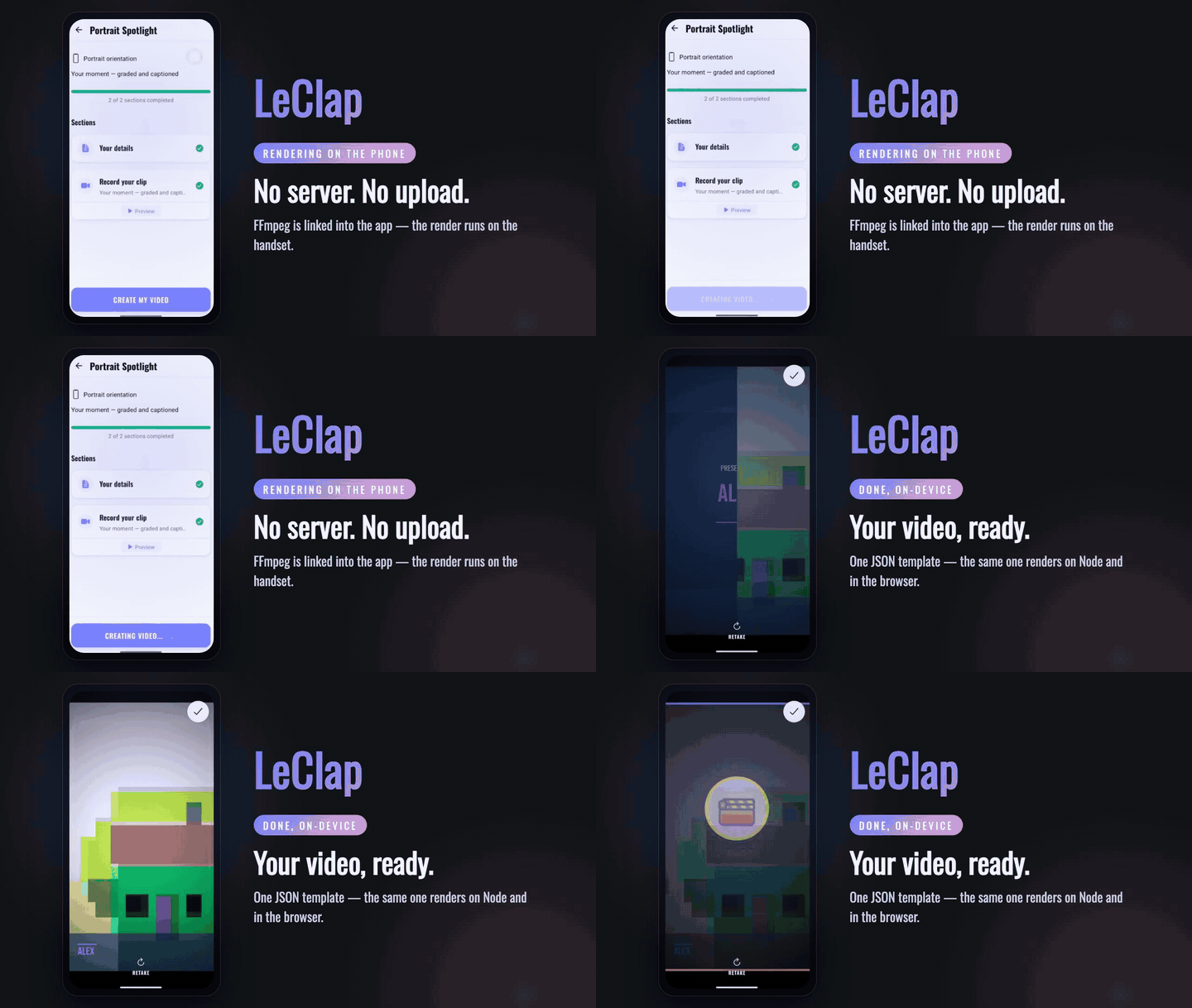
Two looks at LeClap — a finished clip rendered from a single JSON template, and the mobile app composing one fully **on-device**.
<table>
<tr>
<td align="center" width="60%" valign="top">
<strong>🎬 Template-driven render</strong><br />
<sub>one JSON template → a finished clip · <em>unmute for sound</em></sub>
<br /><br />
<video src="https://github.com/user-attachments/assets/19f59a73-d35a-470d-9c42-3945ba51e5ba" controls muted width="100%"></video>
</td>
<td align="center" width="40%" valign="top">
<strong>📱 On-device on Android</strong><br />
<sub>the app: capture → compose → render, on the phone</sub>
<br /><br />
<video src="https://github.com/user-attachments/assets/4337ccdc-efa5-4d58-b201-1b50630e8cda" controls muted width="260"></video>
</td>
</tr>
</table>
<div align="center">
</div>
## 🤔 Why LeClap?
Generative tools can't reproduce a result twice. Cloud renderers can't run in your user's pocket. Remotion renders without a server, but needs a browser engine to do it — LeClap links FFmpeg into the app itself.
| | **LeClap** | Remotion | Shotstack | Generative video |
| ----------------------------------- | :-------------------------------: | :------------------------------: | :---------------: | :----------------------: |
| Renders in a native app, no browser | ✅ React Native, FFmpeg linked in | ❌ needs a WebCodecs browser | ❌ cloud API | ❌ cloud API |
| Runs with no server | ✅ | ✅ in the browser, since 4.0.491 | ❌ cloud API | ❌ cloud API |
| Same input → same output | ✅ per platform¹ | ✅ if you avoid randomness | ⚠️ not documented | ❌ sampled, not rendered |
| Authored by an AI agent | ✅ MCP | ⚠️ an LLM writes React code | ✅ MCP (cloud) | ✅ prompt |
<sub>¹ Per platform, not across them: Node and the browser encode with libx264, Android with `libopenh264`, iOS with `h264_videotoolbox`, and the on-device build drops `boxblur` and rewrites `eq`→`lutyuv`. Same composition, different pixels.</sub>
**[LeClap vs Remotion →](https://leclap.dev/compare/remotion)** — the reasoning behind each row, the full caveats, every claim sourced to vendor docs, and when to pick Remotion instead.
## 🧰 Highlights
| Highlight | What it means |
| --------------------------------- | -------------------------------------------------------------------------------------------------------------------------------------------- |
| 🧩 **Template-driven** | One JSON descriptor → a complete video. No imperative FFmpeg wrangling. |
| 🌍 **Runs everywhere** | Node.js, browser (WASM), and React Native — one shared core, reproducible on each (the encoder differs per platform, see above). |
| 📹 **Capture → compose → render** | Record from the camera, trim/crop, mix music, add transitions, and render — captured, edited, and composed on-device. |
| 🤖 **Agent-callable** | An [MCP server](packages/leclap-mcp) lets an AI agent author & render a template — no LLM in the output path, so it's rendered, not sampled. |
| 🎨 **Premium out of the box** | A bundled [creative kit](packages/leclap-creative-kit) of polished, on-device-safe templates — by prompt or in the visual builder. |
| 🧱 **Typed & validated** | Zod-validated templates, strict TypeScript, dependency-injected architecture. |
## 🚀 Quick start
> 💡 **Recommended: [mise](https://mise.jdx.dev).** `mise install` provisions the exact pinned toolchain — **Node 24, pnpm 11, FFmpeg 8.1.1, and Rust** — so every contributor and CI run identical versions. Managing versions yourself? Bring **Node ≥ 24** and **pnpm 11**.
```bash
git clone https://github.com/heristop/leclap.git
cd leclap
mise install # Node 24, pnpm 11, FFmpeg 8.1.1 + Rust
pnpm install
```
Then pick an app:
```bash
pnpm app:web # web app — compiles videos in-browser (no server)
pnpm app:expo # Expo mobile app — compiles fully on-device (no server)
```
Or use the CLI — [`@leclap/cli`](packages/leclap-cli) is the `leclap` dev tool:
```bash
npx @leclap/cli init my-video # scaffold a starter project
npx @leclap/cli render template.json # render it (`leclap diagnose` checks your FFmpeg)
```
Or drive it from an AI agent: the [`@leclap/mcp`](packages/leclap-mcp) server exposes the engine as MCP tools — schema → validate → render — with no LLM in the output path.
## 📦 Monorepo
pnpm workspaces (`apps/*`, `packages/*`) — no turbo/nx. The root is a private orchestrator (`leclap`); `ffmpeg-video-composer`, `@leclap/cli`, and `@leclap/mcp` are published to npm. The web and mobile apps both run the same core — the mobile app drives it **fully on-device** via the embedded native engine (no server), the web app in-browser via WASM.
| Package | Description |
| --------------------------------------------------------- | -------------------------------------------------------------------------------- |
| [`ffmpeg-video-composer`](packages/ffmpeg-video-composer) | **The library** — cross-platform composition engine (Node, browser, WASM). |
| [`@leclap/cli`](packages/leclap-cli) | **The CLI** — the `leclap` dev tool: scaffold (`init`), `render`, `diagnose`. |
| [`@leclap/creative-kit`](packages/leclap-creative-kit) | Shared creative catalog — templates, partials, fonts, media, bundled assets. |
| [`@leclap/mcp`](packages/leclap-mcp) | MCP server — the engine as agent-callable tools (schema/validate/compose/probe). |
| [`@leclap/web`](apps/leclap-web) | React 19 + Vite + Tailwind — in-browser FFmpeg via WASM _(reference)_. |
| [`@leclap/expo`](apps/leclap-expo) | Expo / React Native — on-device compiles via the native engine _(reference)_. |
| [`ffmpeg-engine`](packages/ffmpeg-engine) | Rust engine embedding FFmpeg fftools for on-device compiles. |
## 🧩 Templates & library
A **template** is a Zod-validated JSON descriptor — a `global` block plus an ordered list of `sections`, each a clip with its own `inputs → maps → filters` pipeline and `{{ variable }}` placeholders. Start from a [creative-kit template](packages/leclap-creative-kit) and tweak text, colors, and media — by prompt (MCP) or in the visual builder.
- 📖 **[Template configuration reference](docs/template-configuration.md)** — global config, sections, the FFmpeg pipeline, placeholders.
- 📥 **[Use it as a library](packages/ffmpeg-video-composer/README.md)** — install, the `compile()` API, entry points (Node / browser / RN), and automatic FFmpeg detection.
## 📚 Documentation
- **[🌐 Descriptor reference (web)](https://leclap.pages.dev/doc)** — the full, schema-driven descriptor reference, one page per topic (sections, transitions, looks, grade, motion, audio, captions, filters, examples, JSON Schema).
- **[🧩 Template Configuration](docs/template-configuration.md)** — the template JSON reference.
- **[🏗 Architecture](docs/architecture.md)** — system architecture and design patterns.
- **[🔧 FFmpeg Fallback Strategy](docs/architecture.md#cross-platform-support)** — how automatic FFmpeg detection works.
- **[📱 On-Device Compilation](docs/on-device-compilation.md)** — the serverless Expo compile pipeline.
- **[🤖 AGENTS.md](AGENTS.md)** — repo layout, commands, and conventions for contributors and AI agents.
## 🤝 Contributing & License
Issues and PRs welcome. Keep changes formatted (`pnpm fmt`) and lint-clean (`pnpm lint`) before committing. The code is licensed under the [MIT License](LICENSE).
**Brand & trademark.** The MIT License covers the code, not the brand. The **LeClap** name and logo are trademarks of Alexandre Mogère — you can fork and reuse the code freely, but please give your fork a different name and don't imply endorsement. See [TRADEMARK.md](TRADEMARK.md) for details.