{
"markdown": "\n\n# Intervals.icu MCP Server\n\n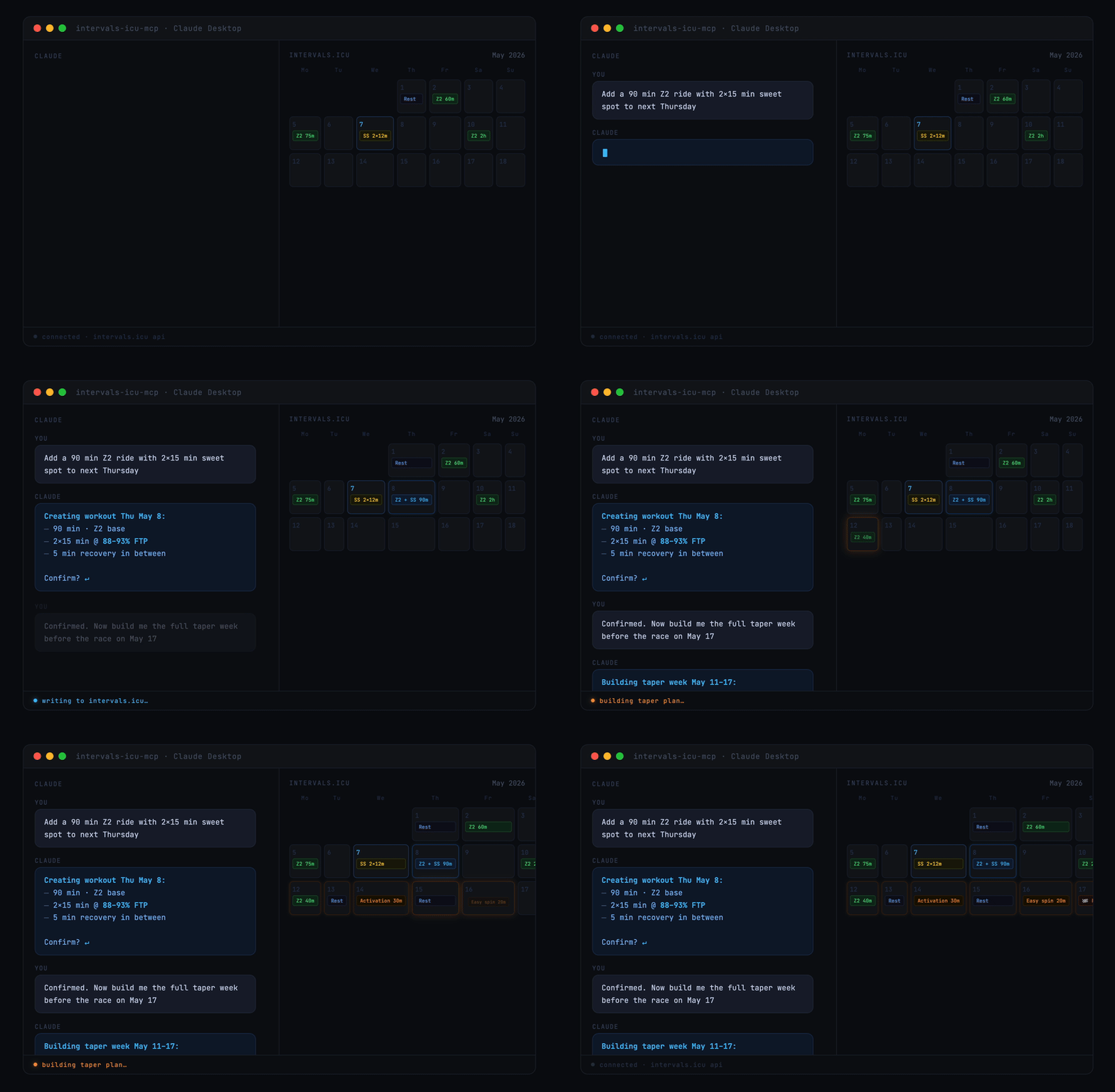\n\nA Model Context Protocol (MCP) server for Intervals.icu integration. Access your training data, wellness metrics, and performance analysis through Claude, ChatGPT, and other LLMs.\n\n> Originally based on [eddmann/intervals-icu-mcp](https://github.com/eddmann/intervals-icu-mcp) (MIT licensed). This project is an independent continuation with significant bug fixes and new features — see [CHANGELOG.md](https://github.com/hhopke/intervals-icu-mcp/blob/main/CHANGELOG.md) for details.\n\n[](https://github.com/hhopke/intervals-icu-mcp/actions/workflows/test.yml)\n[](https://glama.ai/mcp/servers/hhopke/intervals-icu-mcp)\n[](https://github.com/hhopke/intervals-icu-mcp/blob/main/LICENSE)\n[](https://github.com/hhopke/intervals-icu-mcp/pkgs/container/intervals-icu-mcp)\n\n## Overview\n\n62 tools spanning activities, activity analysis, activity messages, athlete profile, wellness, events/calendar, performance curves, workout library, gear, sport settings, and custom items — plus 4 MCP Resources (athlete profile, workout syntax, event categories, custom item schemas) and 7 MCP Prompts (training analysis, recovery check, weekly planning, and more). See [Available Tools](#available-tools) for the per-category breakdown.\n\n## Quick Start\n\n\n\nOr for Claude Desktop, in 30 seconds:\n\n1. Get your [API key and athlete ID](#intervalsicu-api-key-setup)\n2. Add this to your Claude Desktop config:\n\n```json\n{\n \"mcpServers\": {\n \"intervals-icu\": {\n \"command\": \"uvx\",\n \"args\": [\"intervals-icu-mcp\"],\n \"env\": {\n \"INTERVALS_ICU_API_KEY\": \"your-api-key-here\",\n \"INTERVALS_ICU_ATHLETE_ID\": \"i123456\"\n }\n }\n }\n}\n```\n\n3. Restart Claude and ask *\"Show me my activities from the last 7 days.\"*\n\nPrefer Claude Code, Cursor, or ChatGPT? See [Client Configuration](#client-configuration). Want to run from source or with Docker? See [Installation & Setup](#installation--setup).\n\n## Prerequisites\n\nInstall [uv](https://github.com/astral-sh/uv) — it handles Python, dependencies, and execution in one tool. `brew install uv` on macOS/Linux, or `powershell -c \"irm https://astral.sh/uv/install.ps1 | iex\"` on Windows. From there, `uvx` fetches Python and the package automatically. Docker is also supported as an alternative.\n\n## Intervals.icu API Key Setup\n\nBefore installation, obtain your Intervals.icu API key:\n\n1. Go to https://intervals.icu/settings → **Developer** → **Create API Key**.\n2. Copy the key, and note your **Athlete ID** from your profile URL (format: `i123456`).\n\n## Installation & Setup\n\n**Nothing to install separately if you use the recommended setup.** `uvx` (which ships with `uv`) automatically downloads and caches the `intervals-icu-mcp` package the first time your MCP client launches it — just paste the config snippet from [Client Configuration](#client-configuration) into your client and you're done.\n\n\nAlternative: from source — for development or local modifications\n\n```bash\ngit clone https://github.com/hhopke/intervals-icu-mcp.git\ncd intervals-icu-mcp\nuv sync\nuv run intervals-icu-mcp-auth # interactive credential setup; or create .env manually:\n# INTERVALS_ICU_API_KEY=your_api_key_here\n# INTERVALS_ICU_ATHLETE_ID=i123456\n```\n\nThen point your MCP client at this checkout — see the **From source** snippet inside each client below.\n\n\n\n\nAlternative: Docker\n\n```bash\ndocker build -t intervals-icu-mcp .\n\n# Interactive credential setup (creates intervals-icu-mcp.env in the current directory):\ntouch intervals-icu-mcp.env # pre-create the file so Docker mounts it as a file, not a dir\ndocker run -it --rm \\\n -v \"$(pwd)/intervals-icu-mcp.env:/app/.env\" \\\n --entrypoint= intervals-icu-mcp:latest \\\n python -m intervals_icu_mcp.scripts.setup_auth\n```\n\nOr create `intervals-icu-mcp.env` manually (same format as the `.env` above).\n\nThen point your MCP client at the Docker image — see the **Docker** snippet inside each client below.\n\n\n\n## Client Configuration\n\nThe server speaks MCP over stdio and works with any compliant client. Click a client to expand. If you followed Quick Start (uvx), use the first config block; if you used the source or Docker alternative above, use the matching variant inside the same collapsible.\n\n\nClaude Desktop\n\nAdd to your configuration file:\n- macOS: `~/Library/Application Support/Claude/claude_desktop_config.json`\n- Windows: `%APPDATA%\\Claude\\claude_desktop_config.json`\n\n```json\n{\n \"mcpServers\": {\n \"intervals-icu\": {\n \"command\": \"uvx\",\n \"args\": [\"intervals-icu-mcp\"],\n \"env\": {\n \"INTERVALS_ICU_API_KEY\": \"your-api-key-here\",\n \"INTERVALS_ICU_ATHLETE_ID\": \"i123456\"\n }\n }\n }\n}\n```\n\n**From source** (requires `git clone` + `uv sync` + `uv run intervals-icu-mcp-auth`):\n\n```json\n{\n \"mcpServers\": {\n \"intervals-icu\": {\n \"command\": \"uv\",\n \"args\": [\"run\", \"--directory\", \"/ABSOLUTE/PATH/TO/intervals-icu-mcp\", \"intervals-icu-mcp\"]\n }\n }\n}\n```\n\n**Docker**:\n\n```json\n{\n \"mcpServers\": {\n \"intervals-icu\": {\n \"command\": \"docker\",\n \"args\": [\"run\", \"-i\", \"--rm\", \"-v\", \"/ABSOLUTE/PATH/TO/intervals-icu-mcp.env:/app/.env\", \"intervals-icu-mcp:latest\"]\n }\n }\n}\n```\n\n\n\n\nClaude Code\n\nRegister the server as a user-scoped MCP server:\n\n```bash\nclaude mcp add intervals-icu --scope user \\\n --env INTERVALS_ICU_API_KEY=your-key \\\n --env INTERVALS_ICU_ATHLETE_ID=i123456 \\\n -- uvx intervals-icu-mcp\n```\n\nThen in any Claude Code session, run `/mcp` to confirm `intervals-icu` is connected.\n\n\n\n\nCursor\n\nAdd to `~/.cursor/mcp.json` (or the project-local `.cursor/mcp.json`):\n\n```json\n{\n \"mcpServers\": {\n \"intervals-icu\": {\n \"command\": \"uvx\",\n \"args\": [\"intervals-icu-mcp\"],\n \"env\": {\n \"INTERVALS_ICU_API_KEY\": \"your-api-key-here\",\n \"INTERVALS_ICU_ATHLETE_ID\": \"i123456\"\n }\n }\n }\n}\n```\n\nRestart Cursor and open *Settings → MCP* to verify the server is listed.\n\n\n\n\nChatGPT — requires a paid plan, Developer Mode, and a publicly reachable URL (walkthrough not yet verified end-to-end)\n\nChatGPT's custom MCP connector flow requires running the server over HTTP and exposing it via a tunnel, then registering the URL in ChatGPT's Developer Mode settings. See [docs/chatgpt-connector.md](https://github.com/hhopke/intervals-icu-mcp/blob/main/docs/chatgpt-connector.md) for the full walkthrough, plan-tier requirements, and security notes.\n\n\n\n## Usage\n\nAsk Claude to interact with your Intervals.icu data in natural language. A few starter prompts:\n\n```\n\"Show me my activities from the last 30 days\"\n\"Am I overtraining? Check my CTL, ATL, and TSB\"\n\"How's my recovery this week? Show HRV and sleep trends\"\n\"Create a sweet spot cycling workout for tomorrow\"\n\"What's my 20-minute power and FTP?\"\n```\n\nFor the full catalogue of example prompts by category, see [docs/examples.md](https://github.com/hhopke/intervals-icu-mcp/blob/main/docs/examples.md).\n\n## Available Tools\n\n62 tools, 4 resources, and 7 prompt templates. One-line summary below — full reference in [docs/tools.md](https://github.com/hhopke/intervals-icu-mcp/blob/main/docs/tools.md).\n\n| Category | Tools | Summary |\n|---|---|---|\n| [Activities](https://github.com/hhopke/intervals-icu-mcp/blob/main/docs/tools.md#activities-12-tools) | 12 | Query, search, update, delete, download activities |\n| [Activity Analysis](https://github.com/hhopke/intervals-icu-mcp/blob/main/docs/tools.md#activity-analysis-8-tools) | 8 | Streams, intervals, best efforts, histograms |\n| [Activity Messages](https://github.com/hhopke/intervals-icu-mcp/blob/main/docs/tools.md#activity-messages-2-tools) | 2 | Read and post notes/comments/coach feedback on activities |\n| [Athlete](https://github.com/hhopke/intervals-icu-mcp/blob/main/docs/tools.md#athlete-3-tools) | 3 | Profile, CTL/ATL/TSB analysis, and fitness chart time-series |\n| [Wellness](https://github.com/hhopke/intervals-icu-mcp/blob/main/docs/tools.md#wellness-3-tools) | 3 | HRV, sleep, recovery metrics |\n| [Events / Calendar](https://github.com/hhopke/intervals-icu-mcp/blob/main/docs/tools.md#events--calendar-11-tools) | 11 | Planned workouts, races, notes, ATP periodization (bulk ops supported) |\n| [Performance / Curves](https://github.com/hhopke/intervals-icu-mcp/blob/main/docs/tools.md#performance--curves-3-tools) | 3 | Power, HR, and pace curves with zones |\n| [Workout Library](https://github.com/hhopke/intervals-icu-mcp/blob/main/docs/tools.md#workout-library-2-tools) | 2 | Browse workout folders and training plans |\n| [Gear Management](https://github.com/hhopke/intervals-icu-mcp/blob/main/docs/tools.md#gear-management-6-tools) | 6 | Track equipment and maintenance reminders |\n| [Sport Settings](https://github.com/hhopke/intervals-icu-mcp/blob/main/docs/tools.md#sport-settings-5-tools) | 5 | FTP, FTHR, pace thresholds, and zones |\n| [Custom Items](https://github.com/hhopke/intervals-icu-mcp/blob/main/docs/tools.md#custom-items-5-tools) | 5 | User customizations: custom charts, fields, zones, dashboard panels |\n\n## Delete Safety Mode\n\nDestructive tools are gated by the optional `INTERVALS_ICU_DELETE_MODE` env var (`safe` / `full` / `none`, default `safe`) — a server-side gate outside the model's reach, so unregistered tools can't be invoked. See [docs/tools.md](https://github.com/hhopke/intervals-icu-mcp/blob/main/docs/tools.md#delete-safety-mode) for the full mode table, response envelope, and TZ-buffer rationale.\n\n## Remote Deployment (HTTP / SSE)\n\nThe server runs over **stdio** by default — the right transport for local clients like Claude Desktop, Claude Code, and Cursor. HTTP and SSE transports are available for remote or hosted use.\n\n> ⚠️ MCP has **no built-in authentication** — never expose an HTTP-mode server to an untrusted network without a tunnel (Tailscale, Cloudflare Tunnel) or an authenticating reverse proxy.\n\nSee [docs/remote-deployment.md](https://github.com/hhopke/intervals-icu-mcp/blob/main/docs/remote-deployment.md) for transport flags and the full security model.\n\n## Documentation\n\n- [Example prompts](https://github.com/hhopke/intervals-icu-mcp/blob/main/docs/examples.md) — full catalogue of natural-language prompts by category\n- [Tool reference](https://github.com/hhopke/intervals-icu-mcp/blob/main/docs/tools.md) — complete tool, resource, and prompt inventory\n- [Architecture overview](https://github.com/hhopke/intervals-icu-mcp/blob/main/docs/architecture.md) — how the server, middleware, client, and tools fit together\n- [Remote deployment (HTTP/SSE)](https://github.com/hhopke/intervals-icu-mcp/blob/main/docs/remote-deployment.md) — transports, flags, and the security model for hosted/remote setups\n- [Testing guide](https://github.com/hhopke/intervals-icu-mcp/blob/main/docs/testing.md) — conventions for pytest + respx, fixtures, and running the suite\n- [Changelog](CHANGELOG.md) — release history\n- [Adding a new tool](https://github.com/hhopke/intervals-icu-mcp/blob/main/.claude/skills/add-tool/SKILL.md) — step-by-step workflow for contributors\n\n## Contributing\n\nIssues and pull requests are welcome. Before opening a PR, run `make can-release` locally to match what CI enforces (ruff, pyright, pytest). For new tools, follow the pattern in [`.claude/skills/add-tool/SKILL.md`](https://github.com/hhopke/intervals-icu-mcp/blob/main/.claude/skills/add-tool/SKILL.md) and add a respx-mocked test file alongside the implementation.\n\n## License\n\nMIT License - see the [LICENSE](https://github.com/hhopke/intervals-icu-mcp/blob/main/LICENSE) file for details.\n\n## Disclaimer\n\nThis project is not affiliated with, endorsed by, or sponsored by Intervals.icu. All product names, logos, and brands are property of their respective owners.\n",
"bytes": 12831,
"sha": "74ab2cf813866a5c7b6fd2ddeafdc66cf11aa64d0ce96730dacf20ca9d63db05",
"repo_slug": "hhopke/intervals-icu-mcp",
"fonte": "repo",
"truncated": false,
"api": "https://agentalog.com/api/listings/mcp_io_github_hhopke_intervals_icu_mcp_c52c2d87/readme"
}
